
One secure base under every Clora app
Clora Care, Clora CRM and Clora Pay share one platform: one sign-in, your own database, the same people and records, and a history of every change.
In development
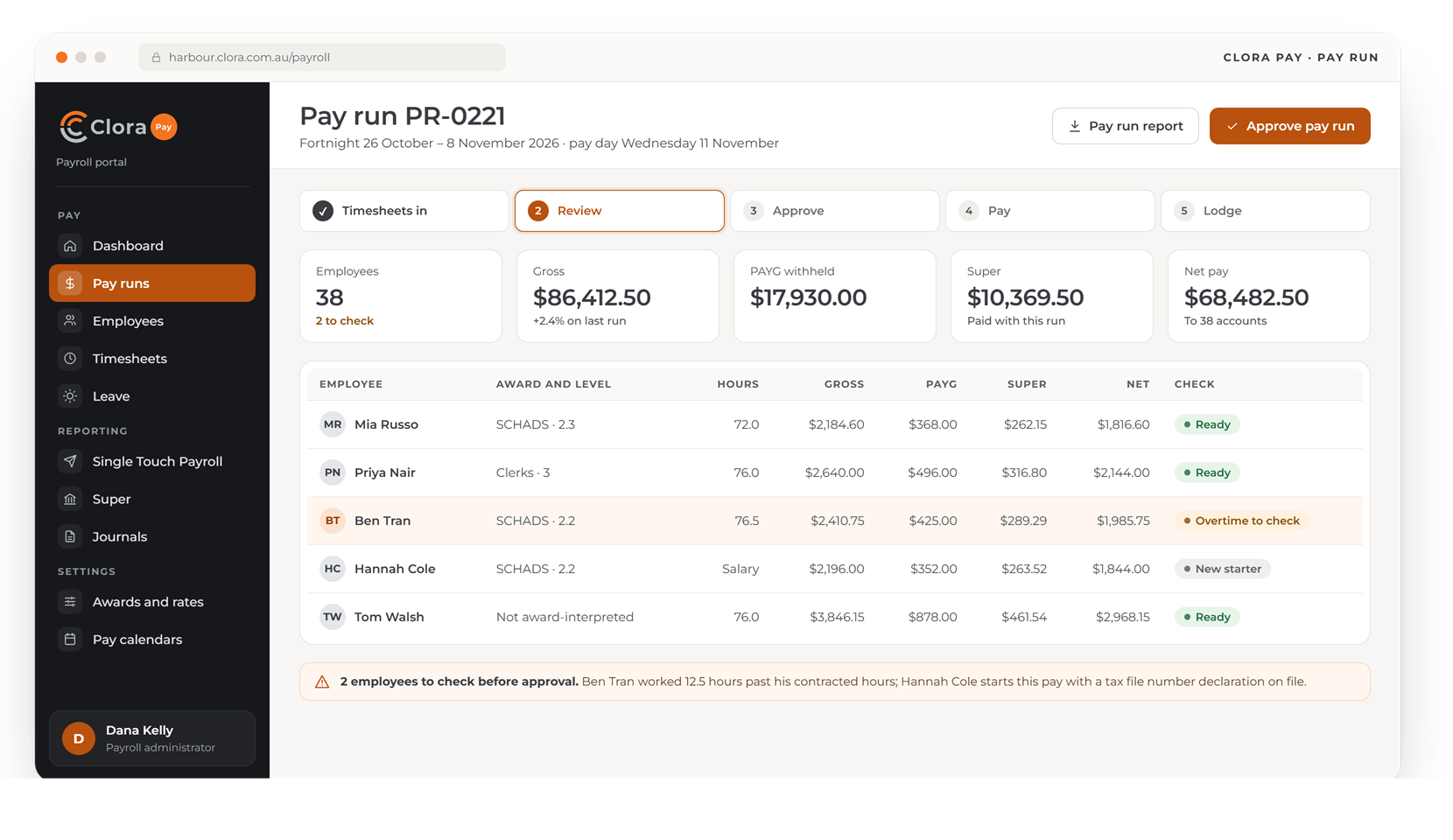
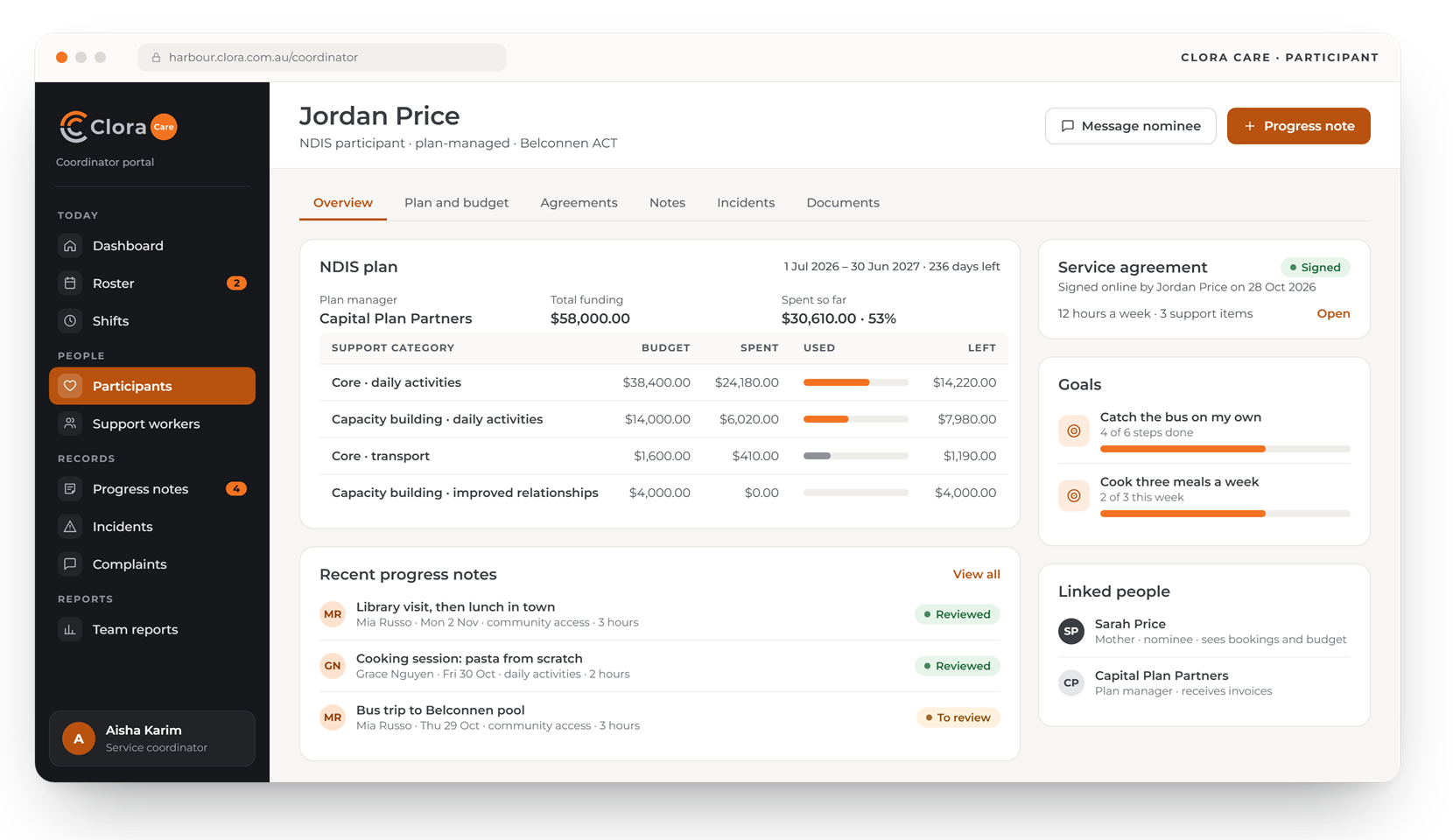
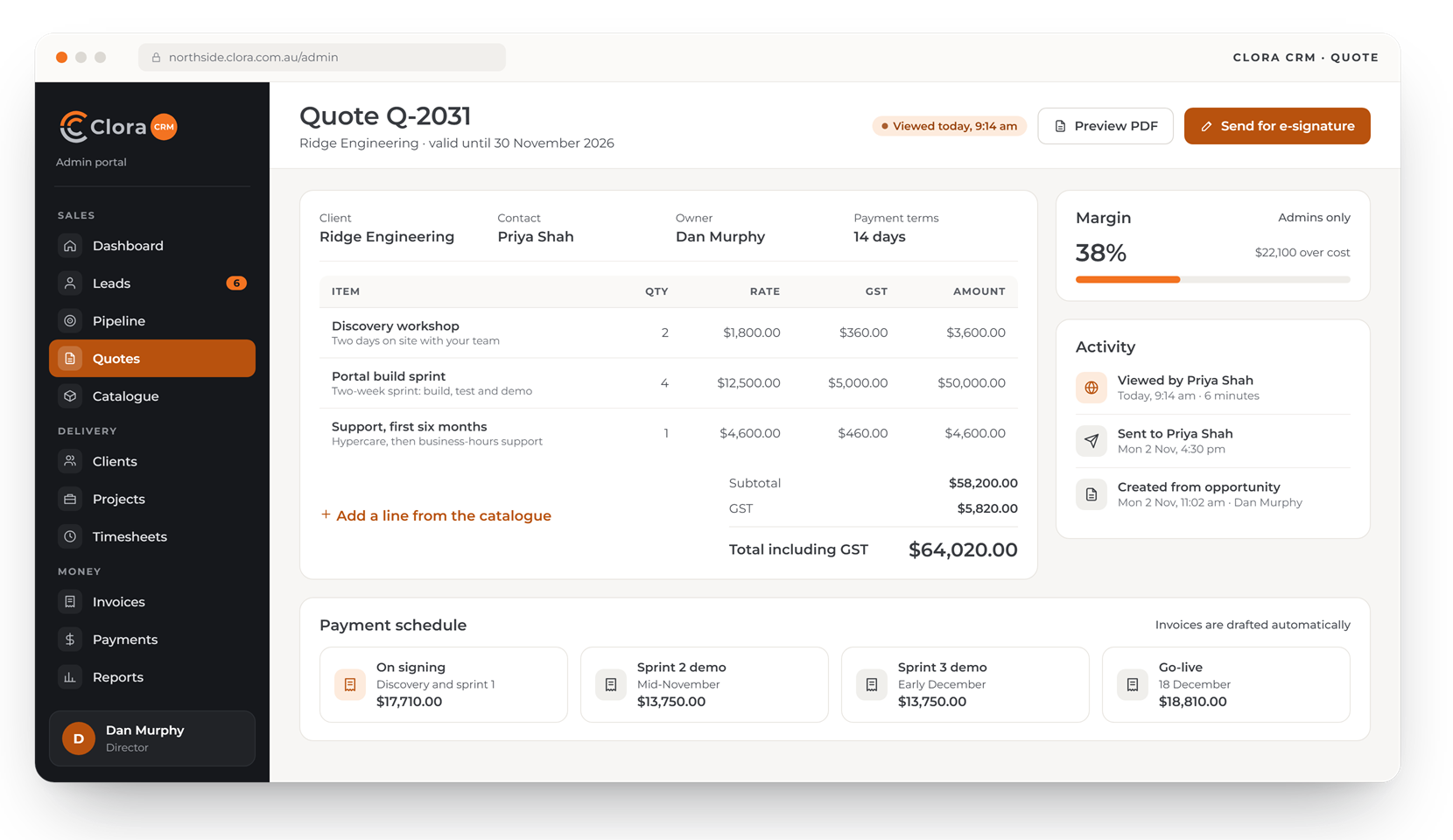
Design preview with made-up data. Screens may change before launch.
Built in once, used by every app
These parts of Clora are the same whichever app you use, so they are tested once and work the same way everywhere.
One sign-in, with MFA
Everyone signs in with multi-factor authentication. One account reaches every Clora app your organisation uses.
Your own database
Each organisation's data lives in its own database, kept apart from every other client.
Every change recorded
Each create, change and delete is stored with who made it, when, and what the record said before.
The right fields for each role
Roles decide which records and which fields each person sees. A coordinator sees care notes but not pay rates.
Start with one app
Turn on Clora Care, Clora CRM or Clora Pay on its own, and add the others later on the same records.
Hosted in Australia
Your data stays onshore, and the platform is looked after by the WebRange team in Canberra.
One platform under three apps
The same sign-in, roles, audit history and database sit under each app. Here is how each one connects.
Care on the Clora platform
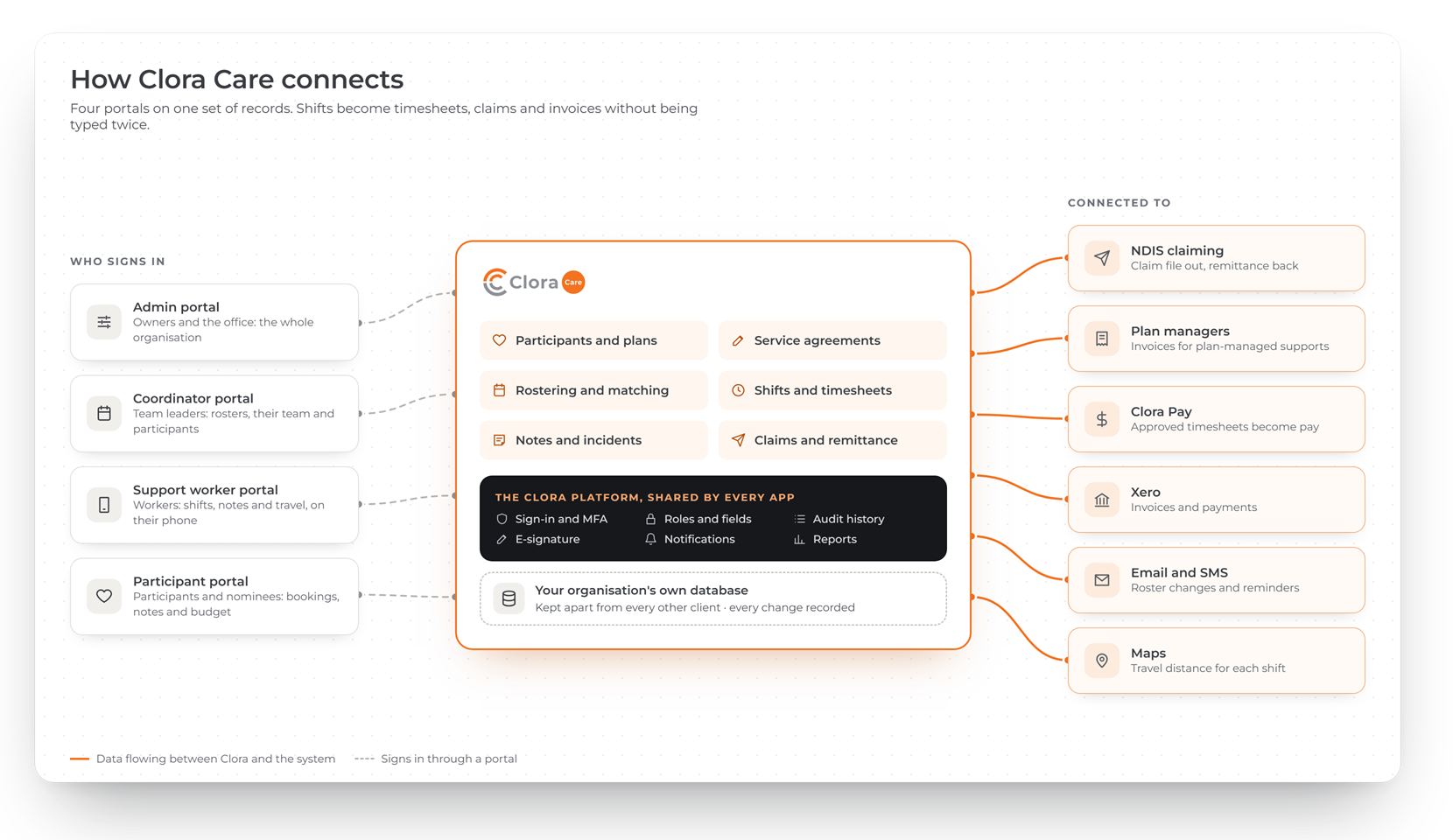
Four portals for the office, coordinators, support workers and participants, on one set of records, connected to NDIS claiming, plan managers and Clora Pay.
- Your own database, kept apart from every other client
- Every change recorded, with who made it
- Clora Pay turns approved shifts into pay
CRM on the Clora platform
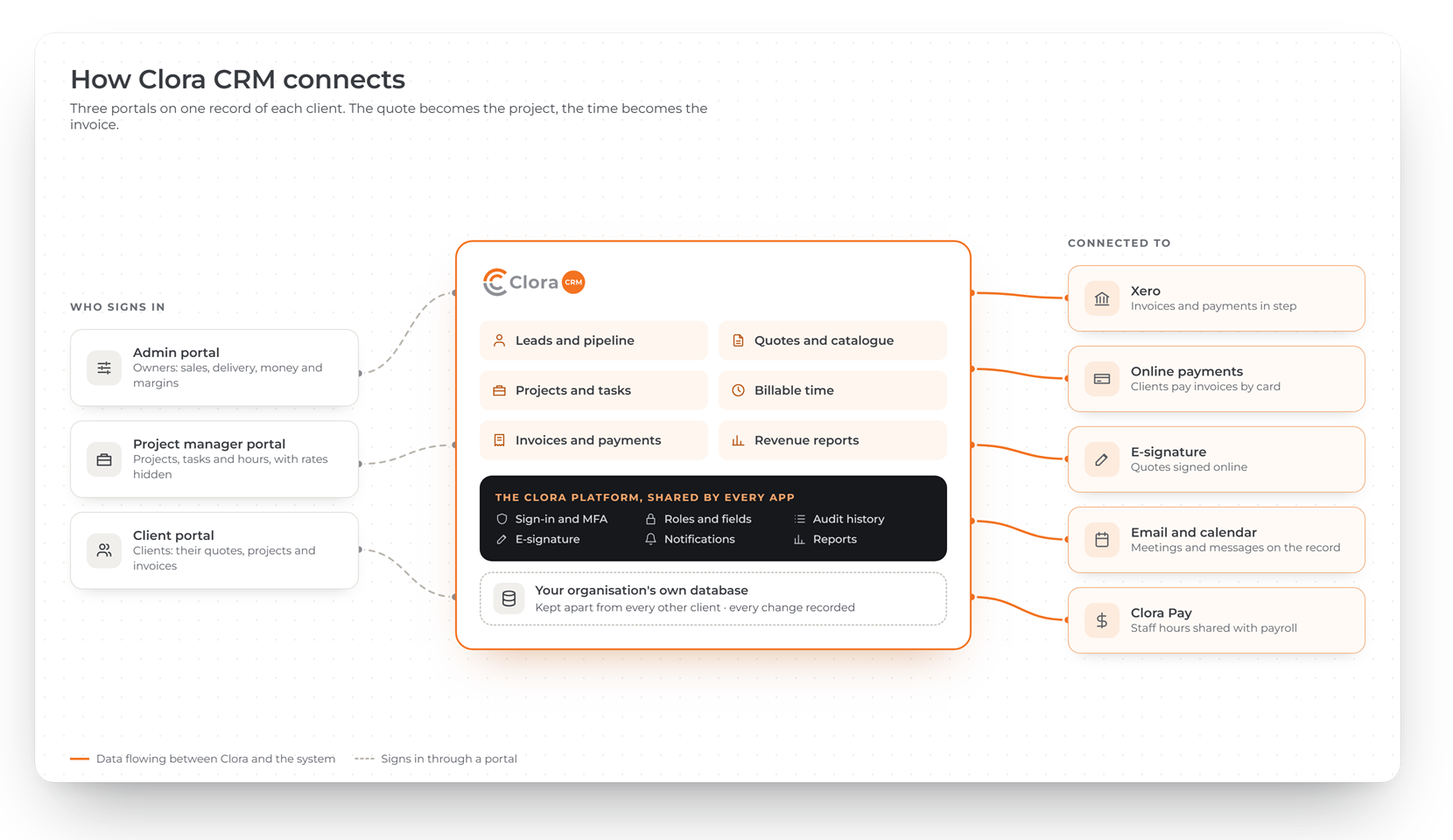
Admin, project manager and client portals on one record of each client, connected to your accounts, online payments and e-signature.
- Clients see only their own quotes, projects and invoices
- Project managers see hours, not rates
- Invoices and payments in step with Xero
Pay on the Clora platform
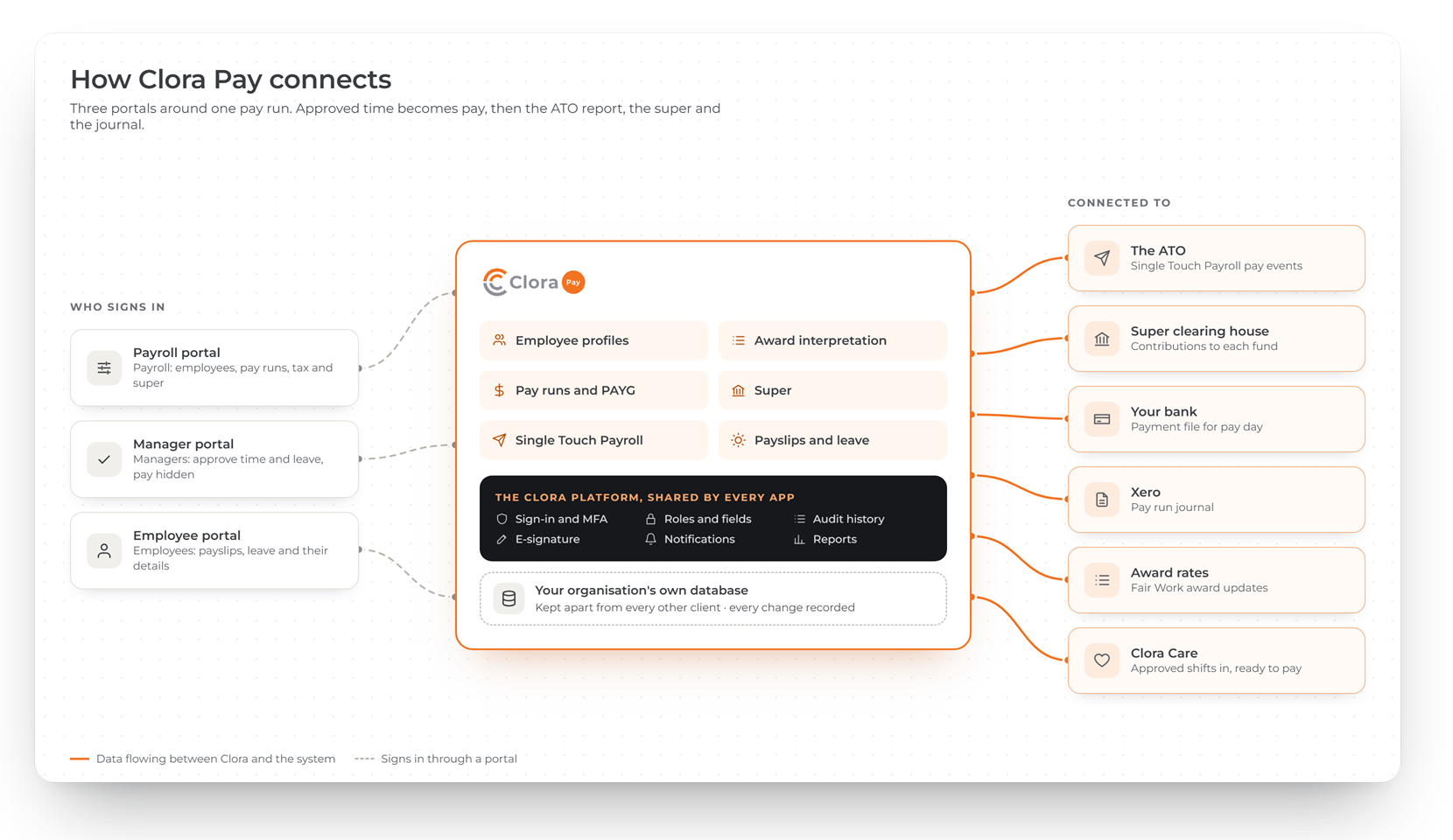
Payroll, manager and employee portals around one pay run, connected to the ATO, super funds, your bank and your accounts.
- Single Touch Payroll pay events lodged with the ATO
- Managers approve time without seeing pay
- Approved Clora Care shifts arrive ready to pay
Choose where to start
Each app runs on the Clora platform described above.
Clora Care
For NDIS providers: participants and plans, rostering, shifts and notes, then claims, invoices and remittance.
Learn moreClora CRM
For service businesses: from first enquiry to quote, project, billable time, invoice and payment.
Learn moreClora Pay
For Australian employers: awards, pay runs, tax, super, Single Touch Payroll, payslips and leave.
Learn moreCommon questions about Clora
What is Clora?
Clora is a range of business software made by WebRange, the brand of Webrange Solutions Pty Ltd, in Canberra. It has three apps, Clora Care, Clora CRM and Clora Pay, on one shared platform.
Do I need all three apps?
No. Each app is sold and run on its own. If you add another later, it uses the same sign-in, people and records, so nothing has to be moved or re-entered.
Who can see our data?
Only your own users, each limited to what their role allows. WebRange support staff can open your system only with a recorded reason, and a support session that acts as one of your users needs that user's consent. Both appear in your audit history.