
How we look after every Clora system
Clora IT is the WebRange team's own console. It is where we set up your organisation, switch on the apps you use, watch health and errors, and help when you ask. It is not sold, and clients never sign in to it.
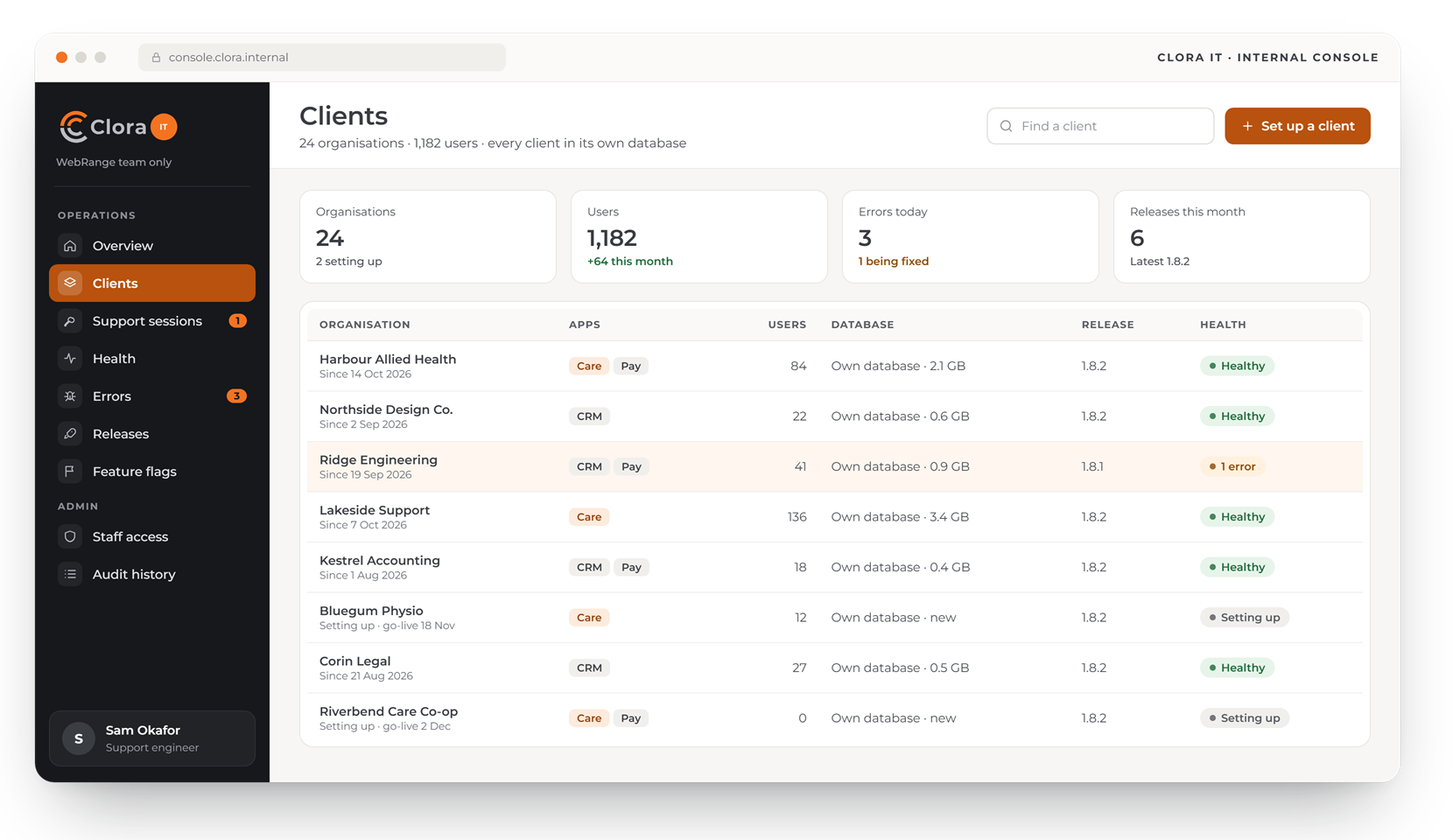
Design preview with made-up data. Screens may change before launch.
Set-up, watching and support, in one place
Clora IT is how we keep every Clora system healthy, without anyone on your side having to run servers.
Setting up your organisation
We create your organisation, its own database and your first administrator, ready for your team.
Apps and features
We switch on the Clora apps you use, and roll new features out to a few clients before everyone.
Health and errors
Errors and health checks from every Clora system come to us, so we usually know about a problem first.
Support with your consent
A session acting as one of your users needs that user's consent and has a time limit.
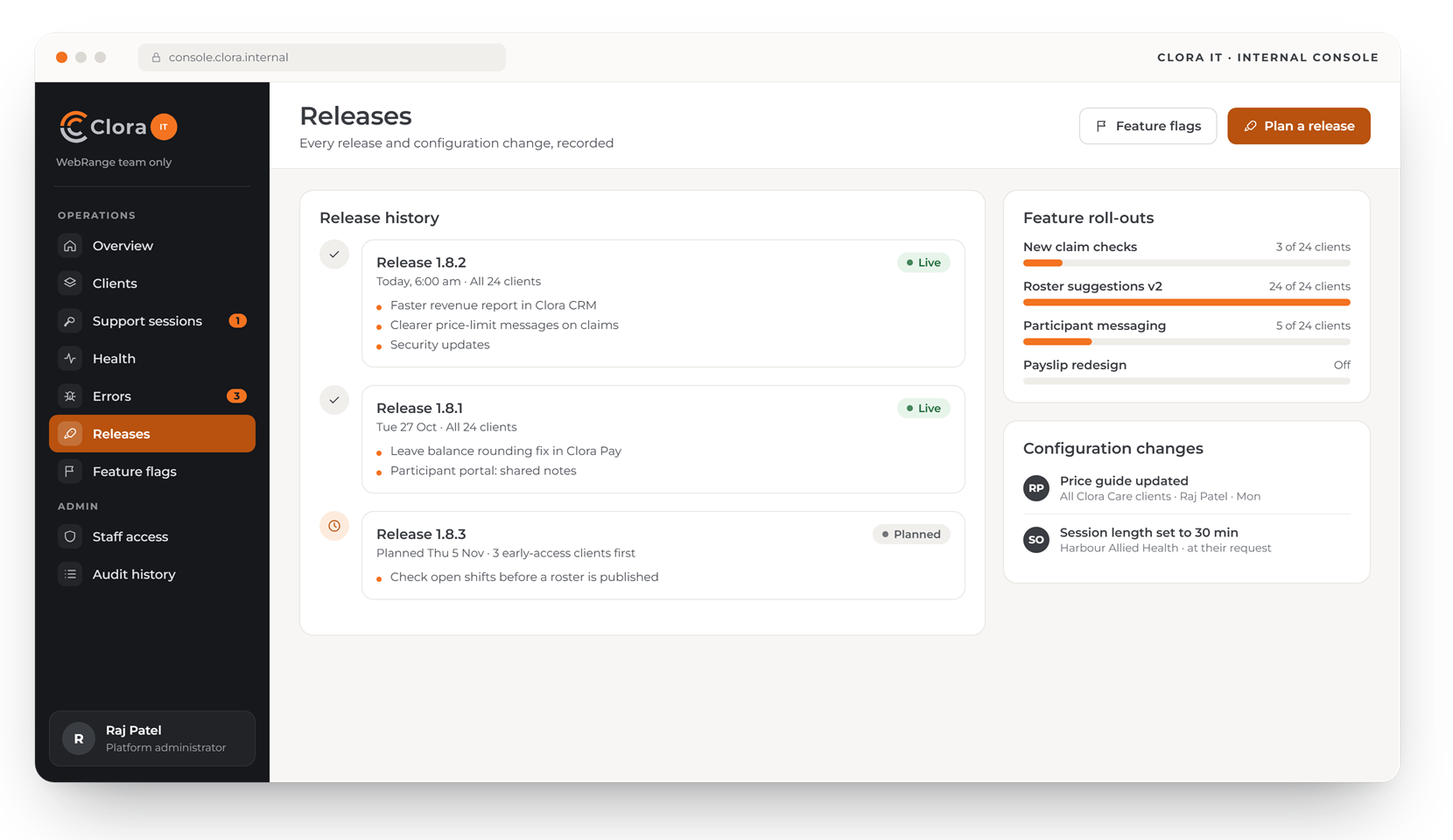
Releases recorded
Every release and configuration change is recorded, with what changed and when.
Access shown to you
Every time our staff open your system, the reason appears in your own audit history.
What looking after Clora involves
Four screens of the console our team uses. Clients never see it.
Setting up a new client, step by step
We create the organisation and its own database, switch on the apps and modules it ordered, load its data and check it before go-live.
- A checklist for every new client
- Apps and modules switched on as ordered
- New features for a few clients first
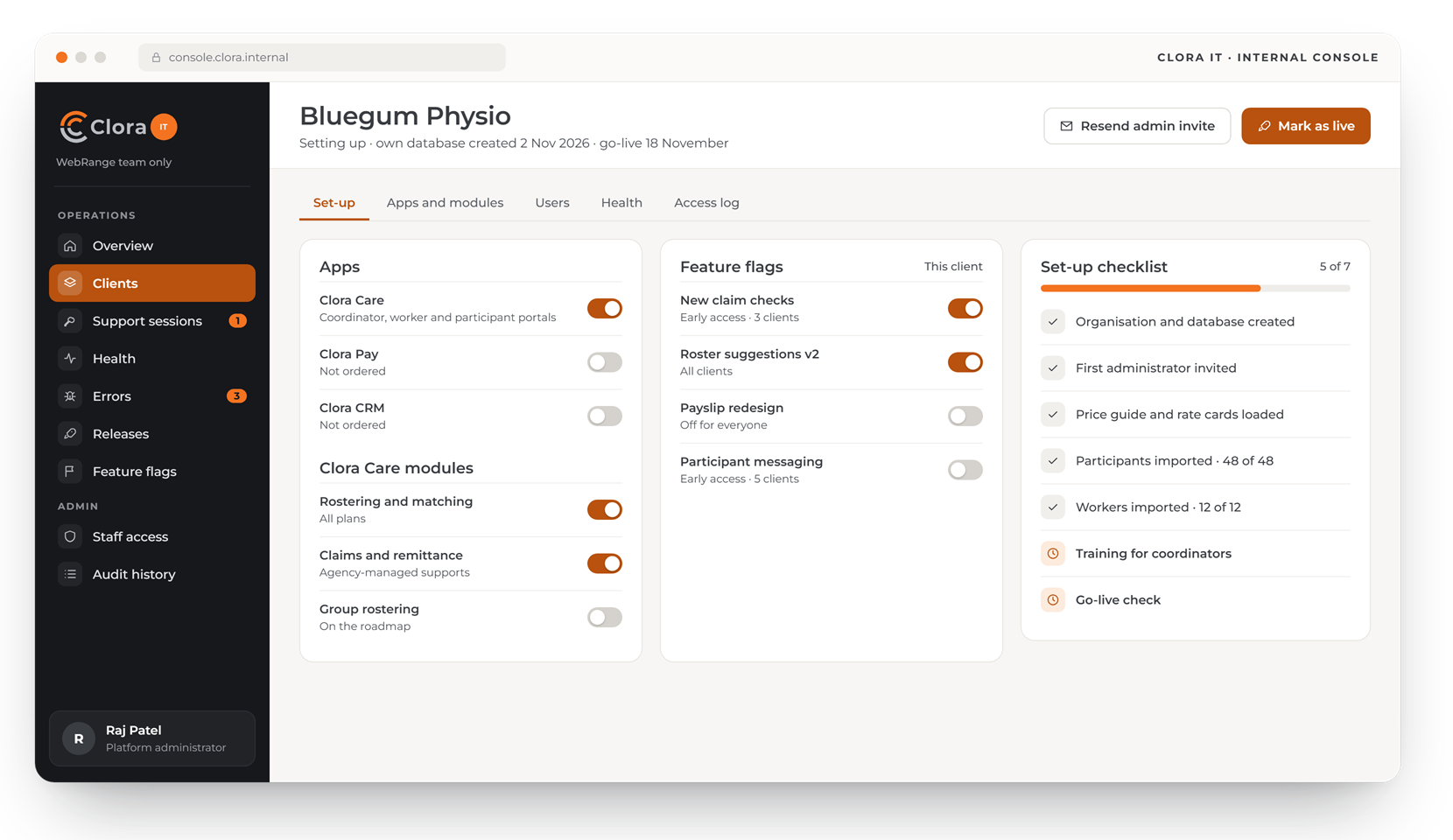
Support sessions only with consent
If we need to see a problem as your user sees it, we ask that user first, with our reason and how long we need. A band shows on every page while the session runs.
- The user allows or declines
- A time limit, and the user can end it at any time
- Every session and access in your audit history
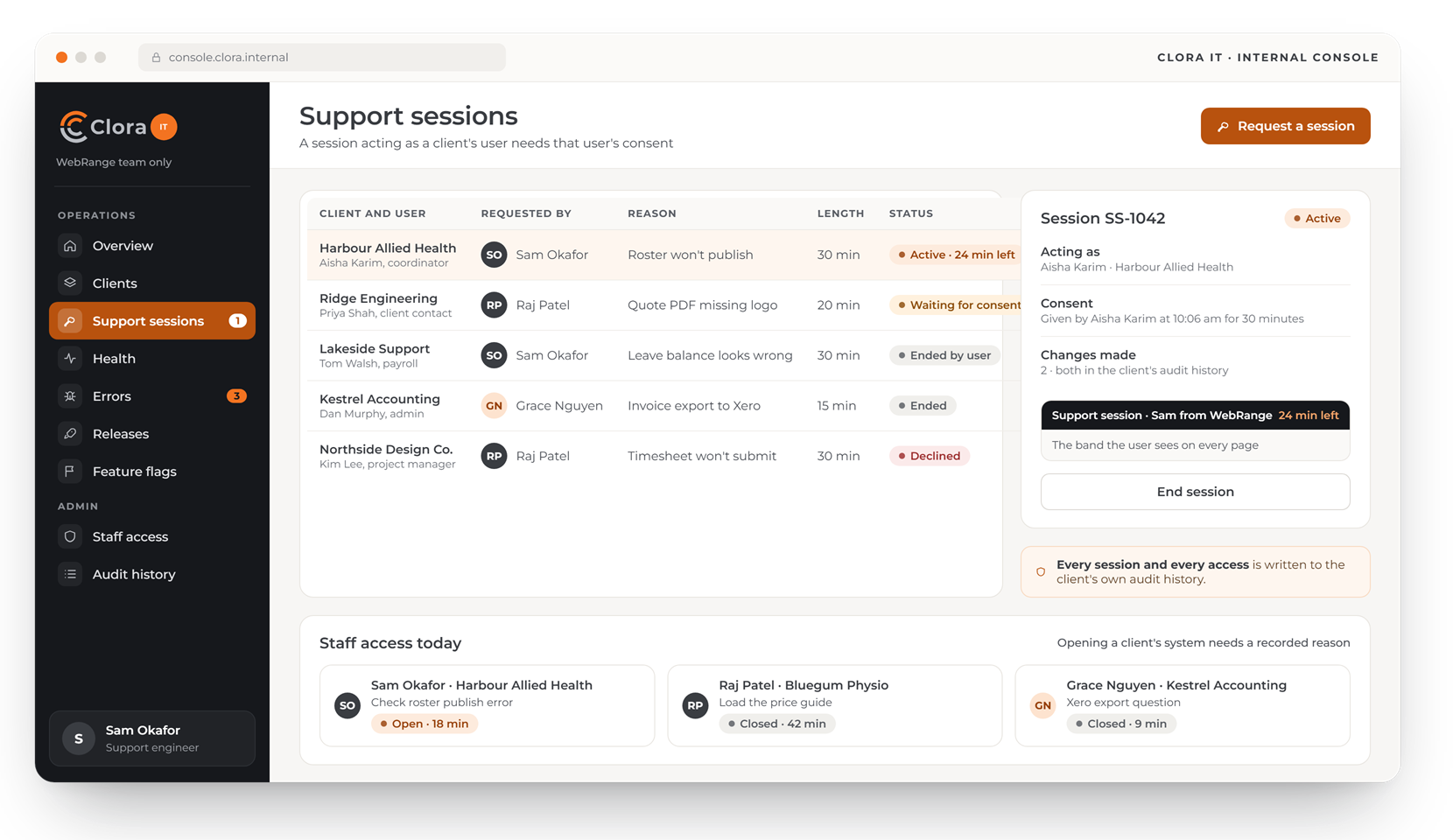
Errors found, owned and fixed
Errors from every Clora system arrive in one list, grouped by client and the users affected, so we usually know about a problem first.
- Errors per day across all clients
- Each error with an owner and a status
- The fix linked to the release that ships it
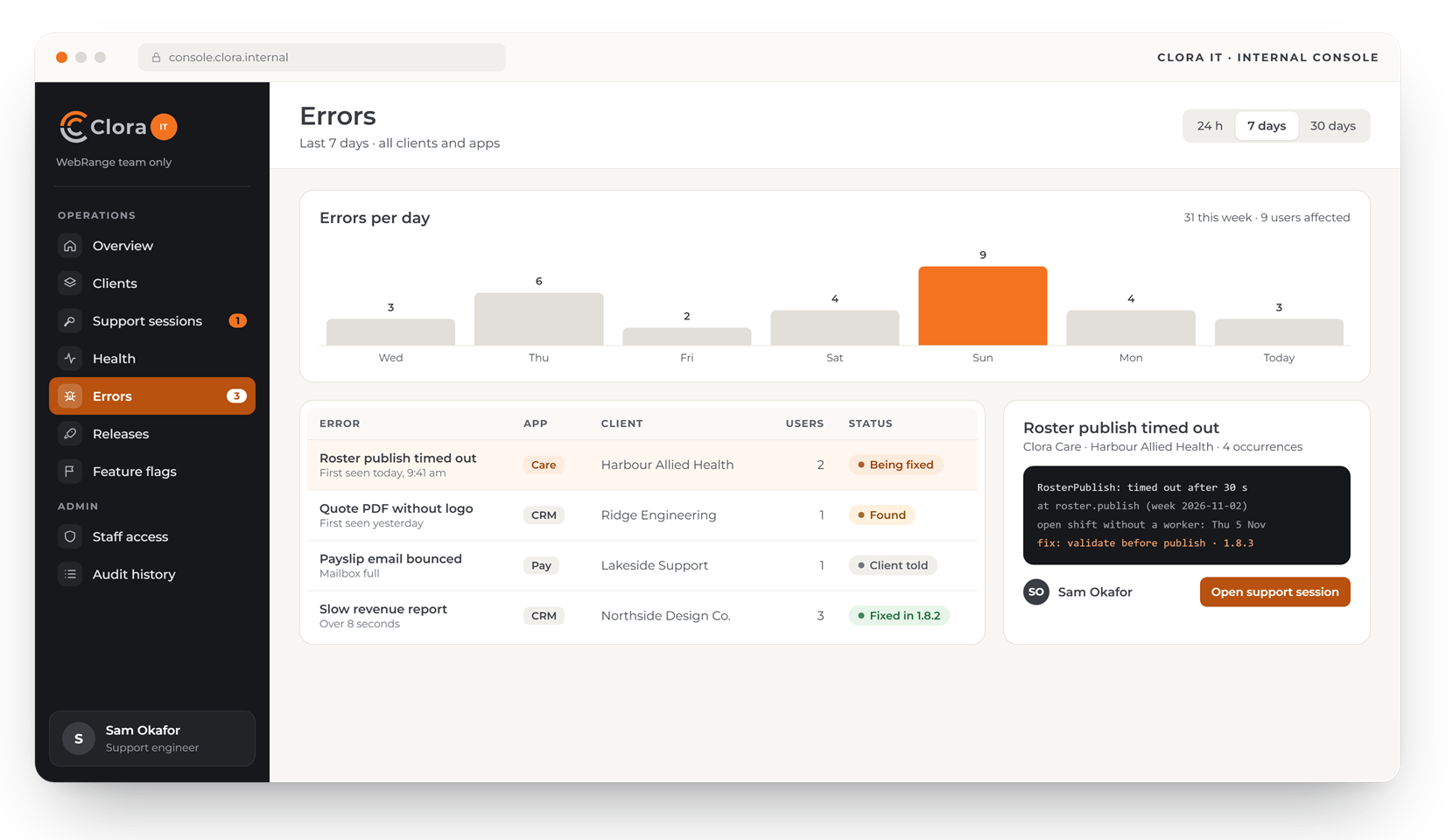
Releases and roll-outs, on the record
Every release and configuration change is recorded. New features can go to a few clients before everyone.
- Release history with what changed
- Feature roll-outs by number of clients
- Configuration changes with who made them
One console, every client
Clora IT sets up and watches each client's Clora, in its own database. Only WebRange staff sign in to it.
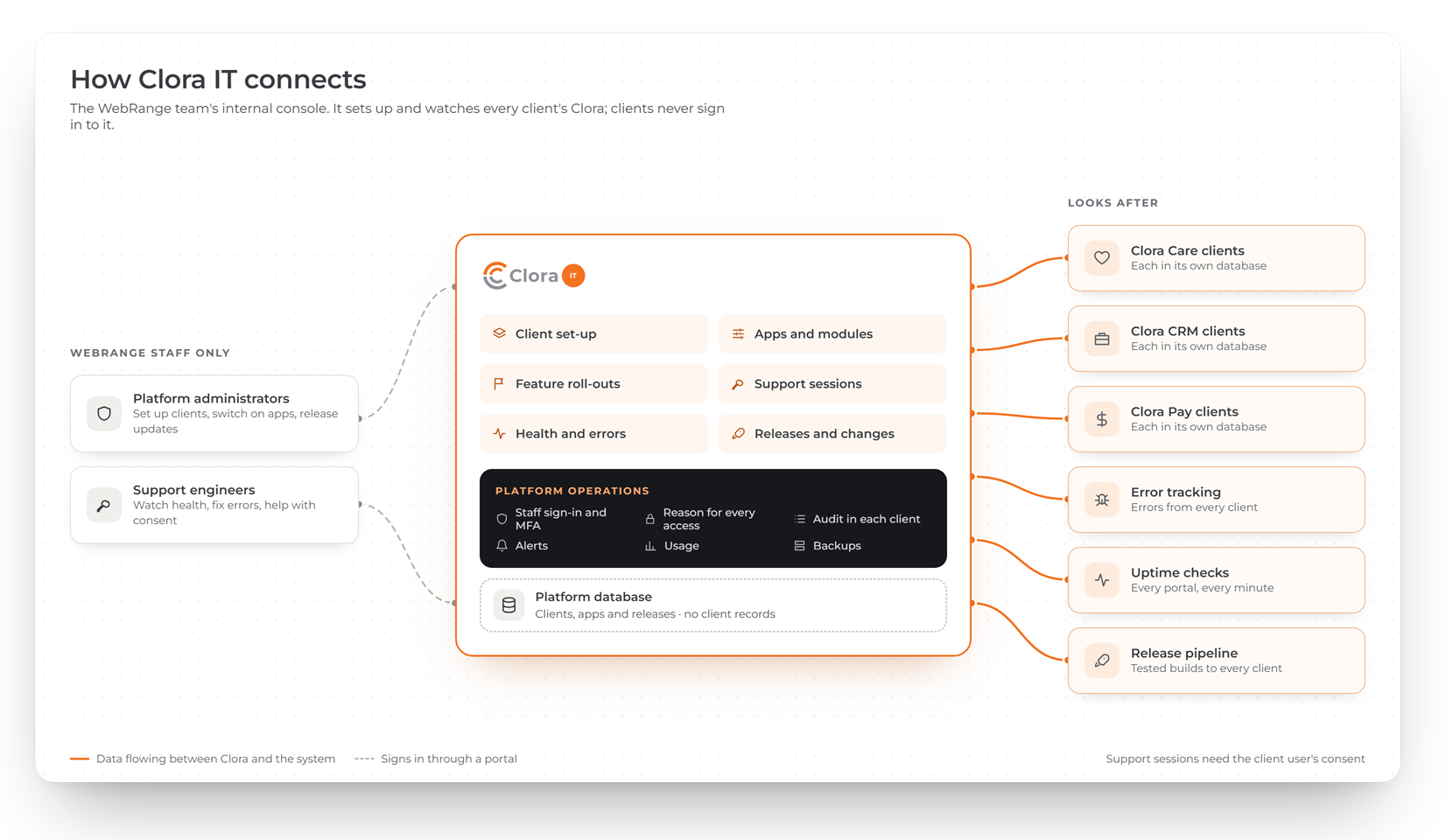
Who uses Clora IT
Only WebRange staff sign in to Clora IT. You stay in control of your own users and approve support sessions.
Platform administrators
Set up organisations, switch on apps and features, and release updates.
Support engineers
Watch health and errors, and help your users through consented support sessions.
You
Approve or decline support sessions, and see every access in your audit history.
Common questions about Clora IT
Can we buy or use Clora IT?
No. Clora IT is the WebRange team's internal console. It is not sold, and clients cannot sign in to it. It is described here so you know how your Clora system is looked after.
Can WebRange see our data?
Our staff open your system only with a recorded reason. A support session that acts as one of your users needs that user's consent, has a time limit, and shows a band on every page. Both appear in your own audit history.
What happens when something goes wrong?
Errors and health checks across every Clora system come to the WebRange team. We fix the problem, tell you if your users were affected, and record the fix in the release history.