
Payroll that reads the award for you
Clora Pay works out pay from timesheets and the award, runs the pay, then handles tax, super, Single Touch Payroll, payslips and leave, with an app for every employee.
In development
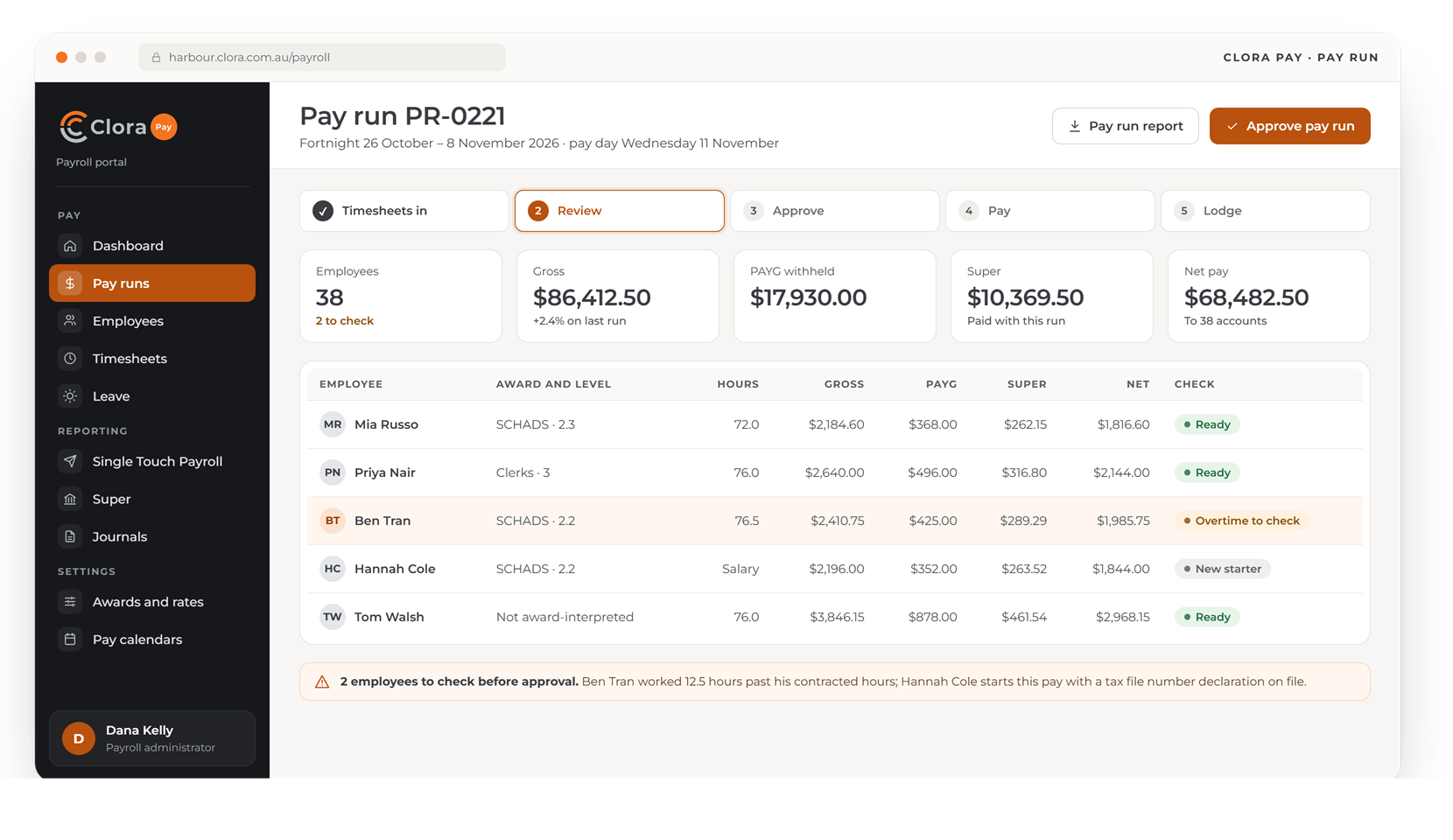
Design preview with made-up data. Screens may change before launch.
A full Australian payroll
From the hours worked to the money in the bank, the report to the ATO and the super in the fund.
Award interpretation
SCHADS and Clerks award rules applied to each timesheet: penalties, overtime, allowances and broken shifts.
Pay runs and tax
Weekly, fortnightly or monthly pay calendars, PAYG withholding and bank payment files.
Super
Super worked out each pay and paid through a clearing house on pay day.
Single Touch Payroll
Pay events lodged with the ATO after every pay run.
Payslips and self-service
Payslips, leave balances and leave requests in the employee app.
Leave and terminations
Leave accrued each pay, and final pay with termination payments worked out.
See exactly how every pay was worked out
Four of the screens payroll, managers and employees would use.
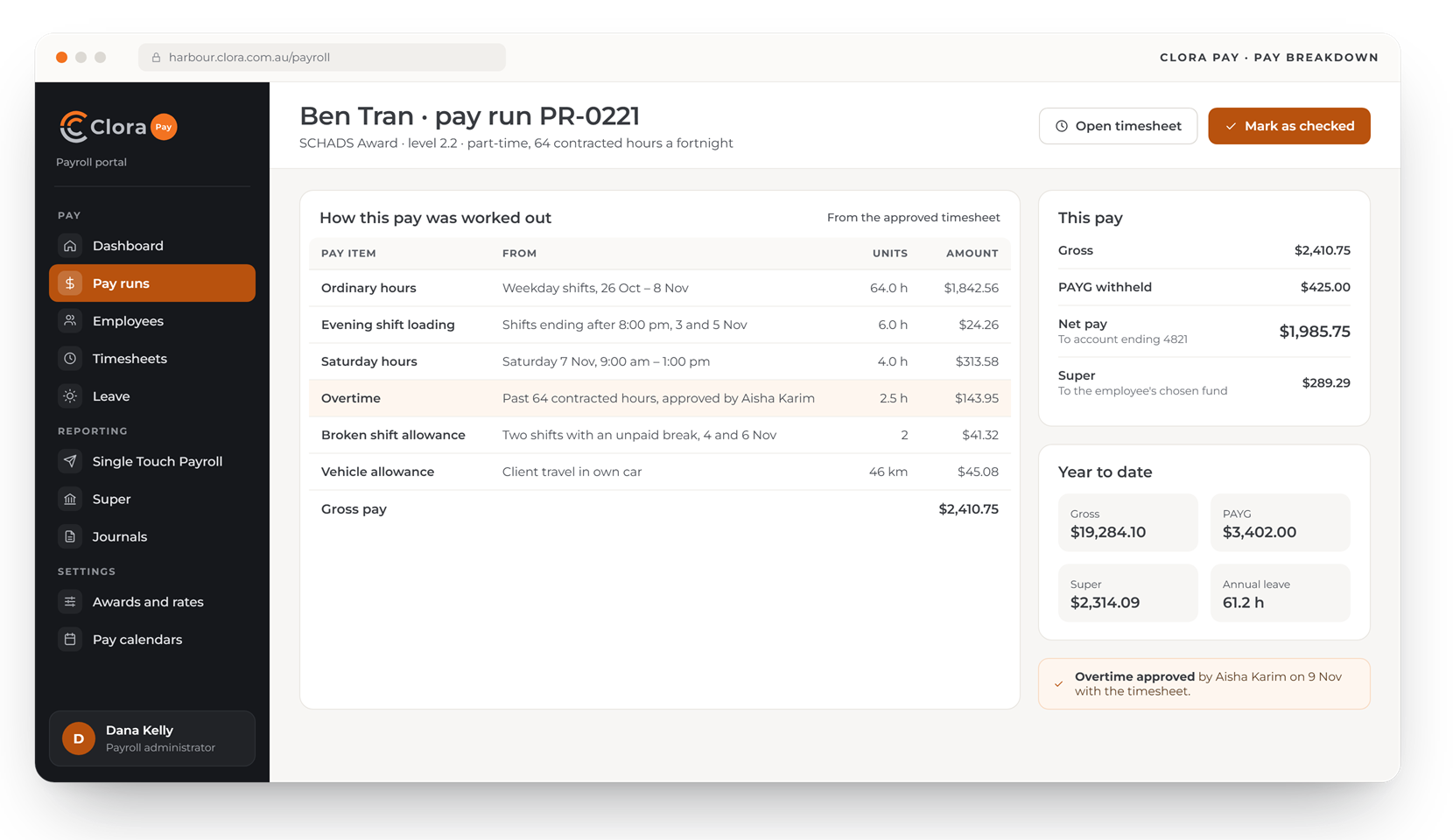
Every pay item traced to the timesheet
Open any employee in a pay run and see each pay item, where it came from and what it adds up to.
- Penalties, overtime and allowances from the approved timesheet
- Unusual items flagged before approval
- Year-to-date totals beside this pay
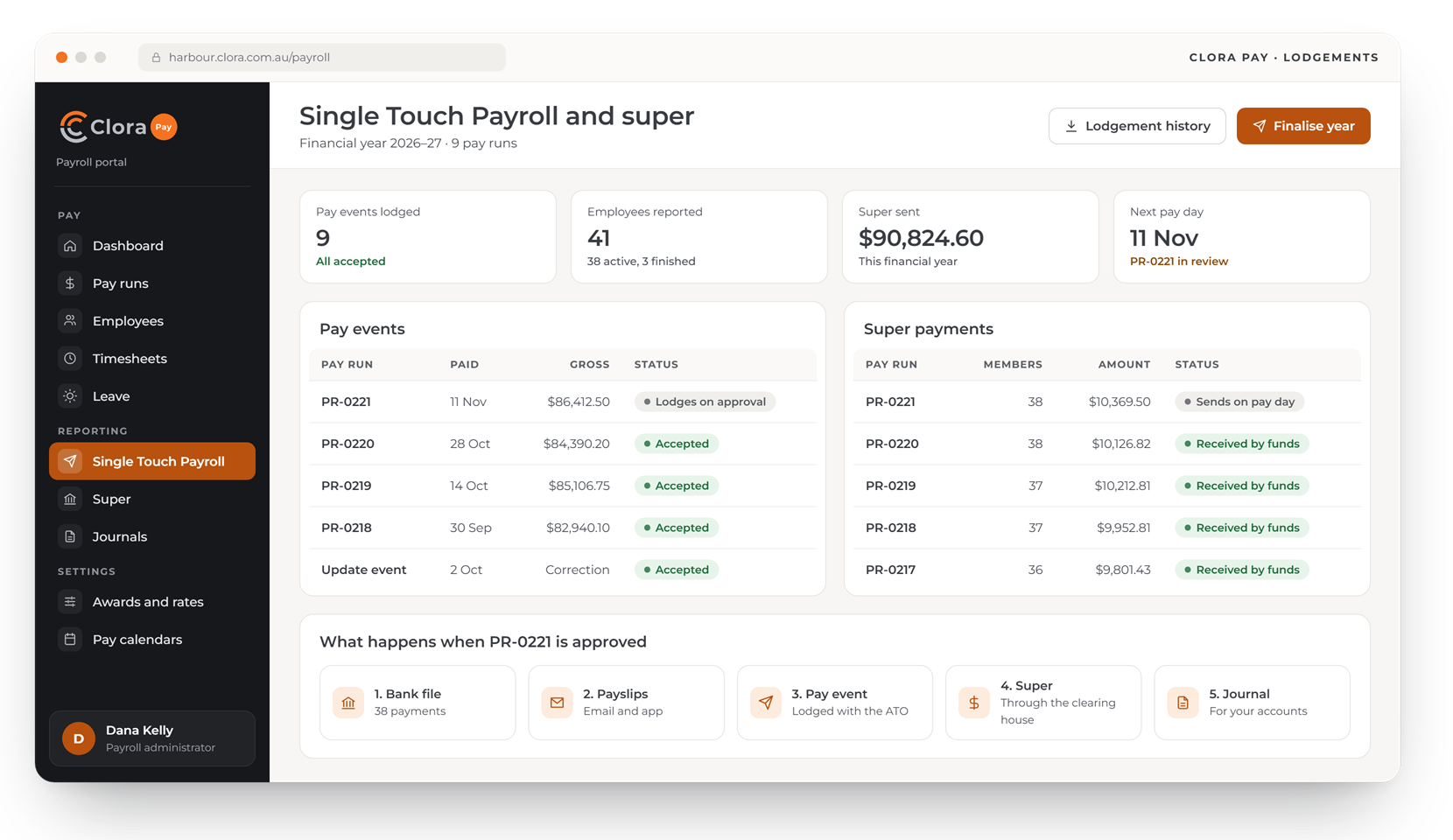
Pay events and super, tracked to the end
Each pay run's Single Touch Payroll event and super payment is tracked until it is accepted or received.
- Pay events lodged with the ATO
- Super paid through a clearing house
- One approval sends the bank file, payslips, pay event, super and journal
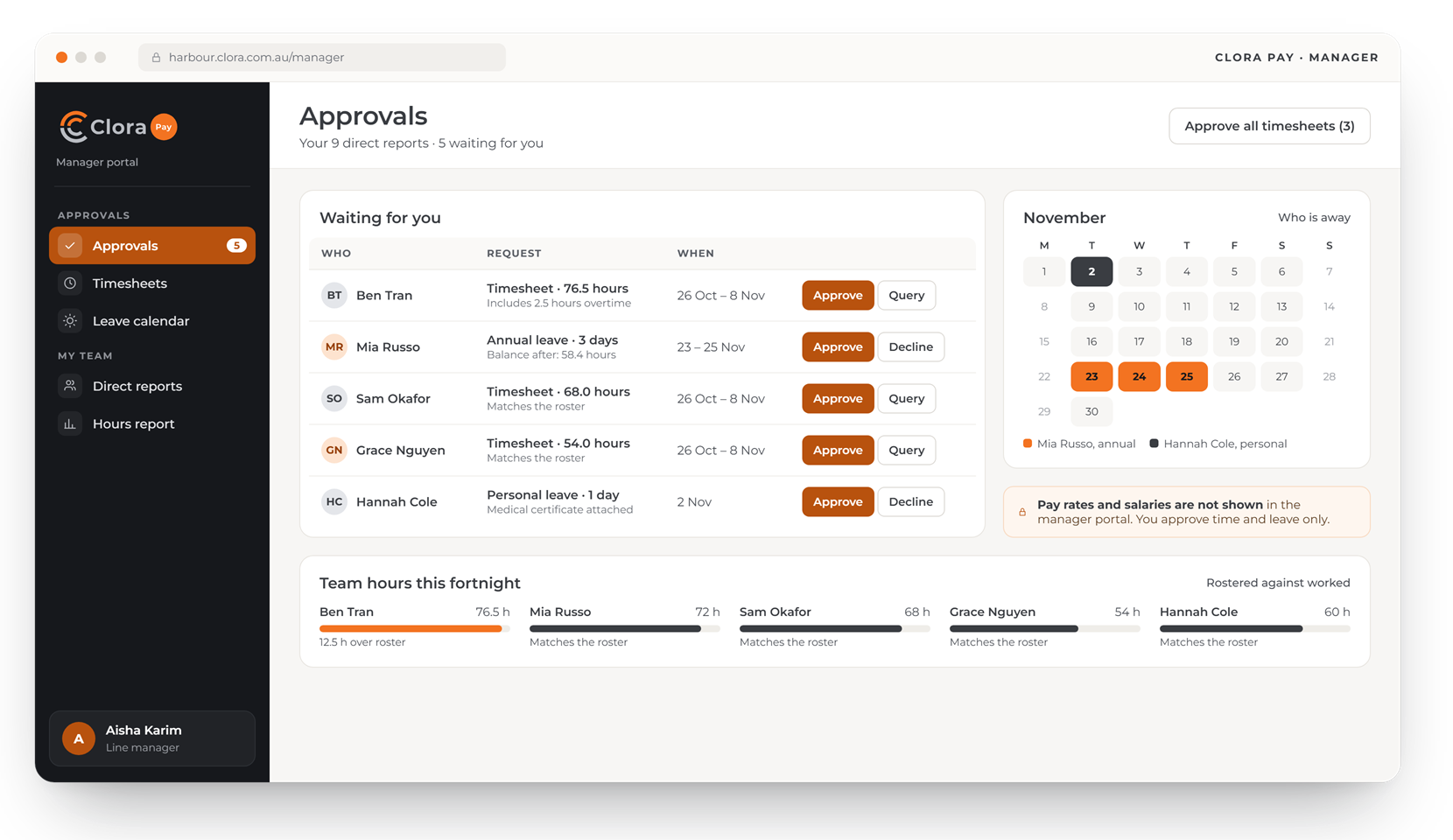
Approvals, without seeing anyone's pay
Managers approve timesheets and leave for their direct reports, see who is away and check hours against the roster.
- Direct reports only
- Pay rates and salaries never shown
- Team hours against the roster
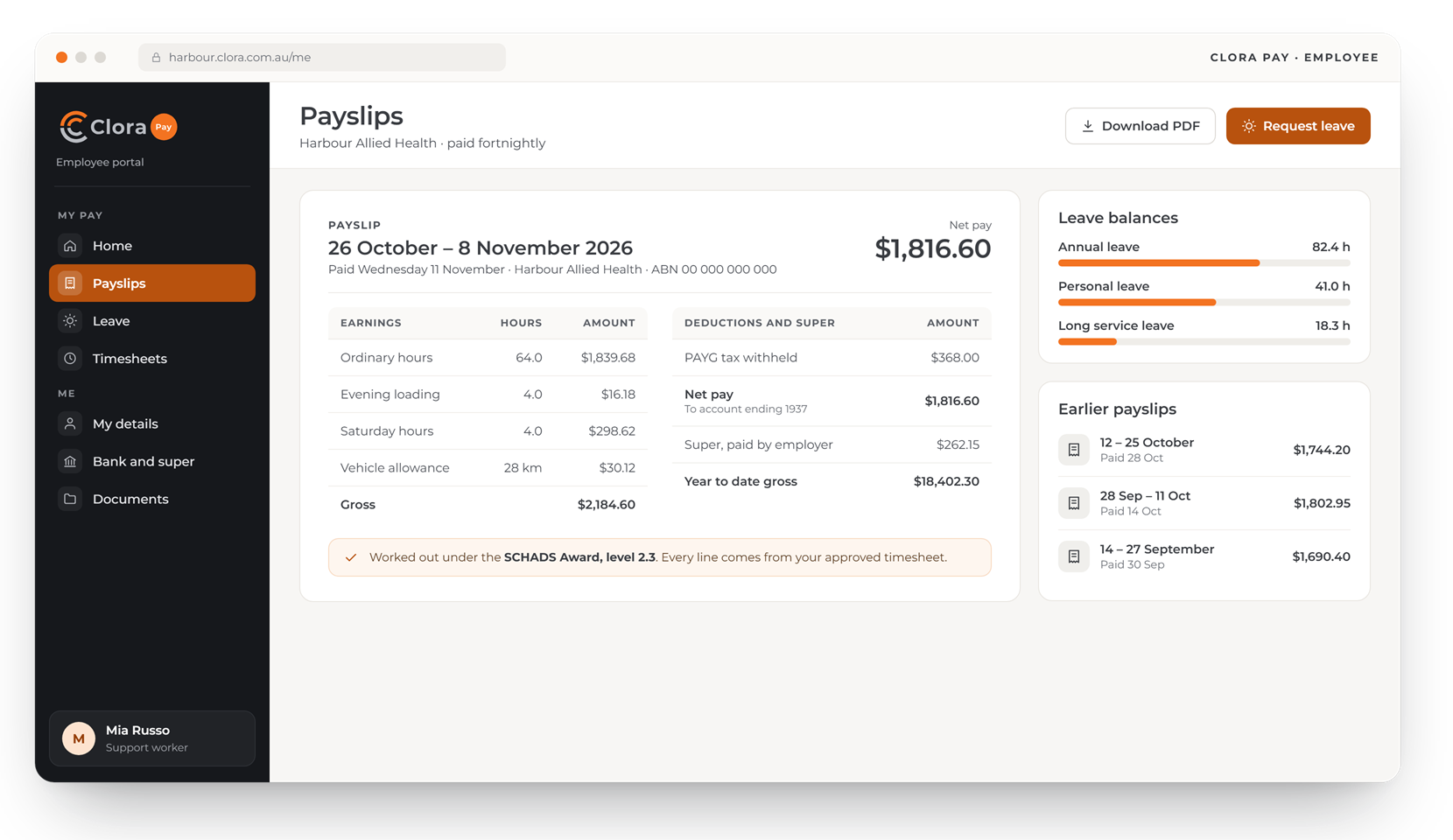
Payslips that explain themselves
Employees see each payslip line by line, their leave balances and earlier payslips, and ask for leave.
- Every line from the approved timesheet
- Leave balances updated each pay
- Payslips kept for every pay
One pay run, every report
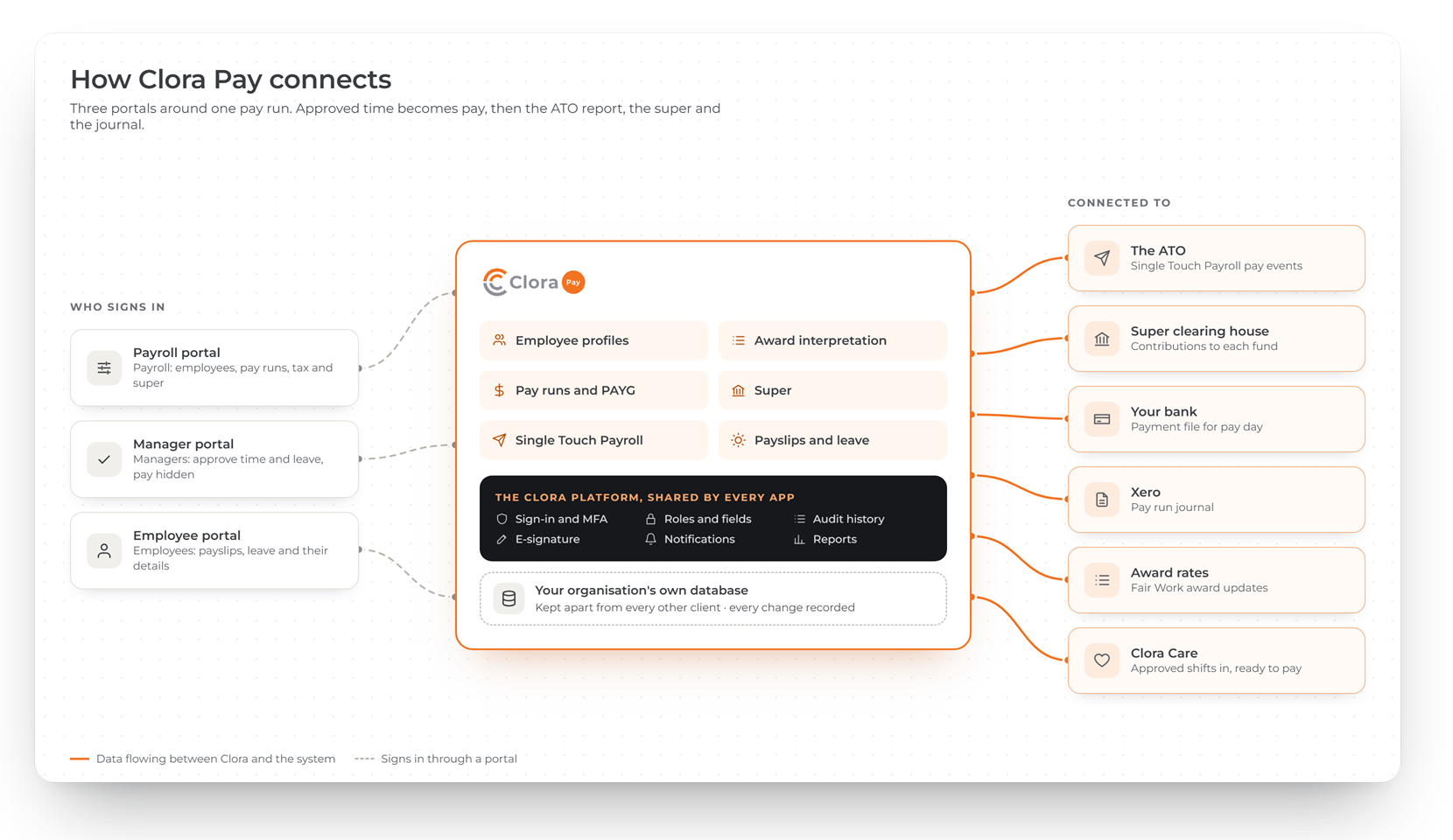
Approved time becomes pay, then the report to the ATO, the super, the bank file and the journal for your accounts.
A portal for payroll, managers and employees
Payroll sees everything it needs; managers approve without seeing pay; employees see only their own.
Payroll administrator
Every employee, pay run, report and setting.
Line manager
Time and leave for their direct reports, with pay never shown.
Employee
Their own payslips, leave balances and leave requests.
The same secure base under every app
Every Clora app runs on one platform, built and supported by WebRange. Use one app on its own, or add the others later on the same sign-in and the same records.
- Your organisation's data in its own database, kept apart from every other client
- Sign-in with multi-factor authentication for everyone
- Every change recorded, with who made it and what it was before
- Each person sees only the records and fields their role allows
Common questions about Clora Pay
Which awards does Clora Pay interpret?
Clora Pay is being built to interpret the Social, Community, Home Care and Disability Services (SCHADS) Award and the Clerks award. Employees on other arrangements are paid without award interpretation.
Can I use Clora Pay without the other Clora apps?
Yes. Clora Pay is sold on its own. If you also use Clora Care, approved shifts flow straight into payroll.
Do managers see salaries?
No. Line managers approve time and leave for their direct reports, but pay rates and salaries are never shown to them.
When is Clora Pay available?
Clora Pay is in development. Register your interest and we will contact you before it launches.