
From first enquiry to paid invoice
Clora CRM follows the work from lead to opportunity, quote, project, billable time, invoice and payment, with a portal where each client sees their own work.
In development
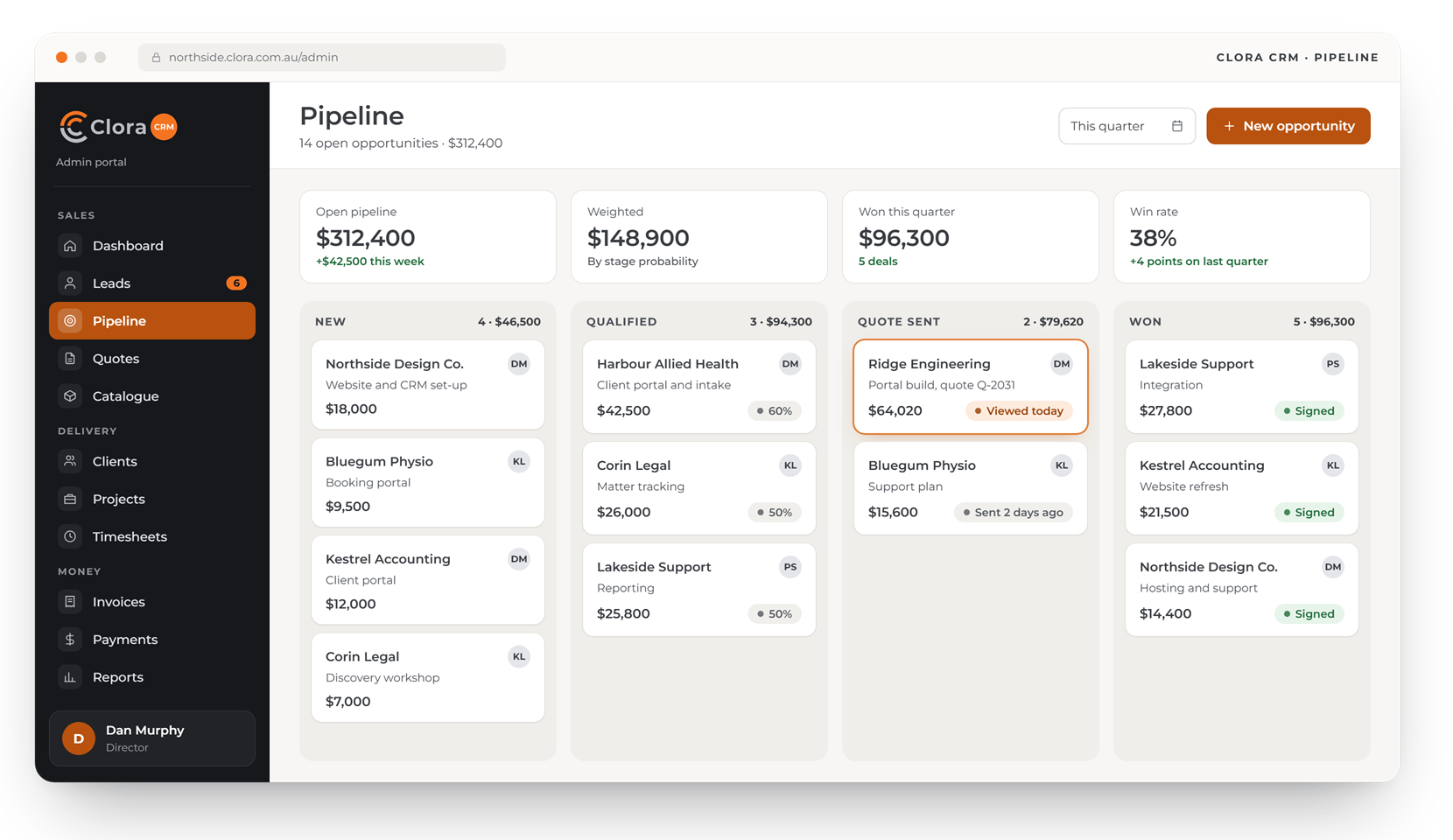
Design preview with made-up data. Screens may change before launch.
Sales, delivery and billing on one record
The quote becomes the project, the project collects the time, and the time becomes the invoice.
Leads and pipeline
Capture enquiries, qualify them and track each opportunity on a sales board.
Quotes and e-signature
Build quotes from your catalogue of products and services, then send them to be signed online.
Clients and projects
A signed quote becomes a project with its own budget, team and milestones.
Tasks and billable time
Tasks, owners and due dates, with time recorded against them as billable or not.
Invoices and payments
Invoices from approved time and milestones, payments recorded against them, and sync to Xero.
Revenue reports
Invoiced, paid and overdue amounts, win rates and the pipeline, by month and by client.
Built for the way a services firm wins and delivers work
Four of the screens your team and your clients would use.
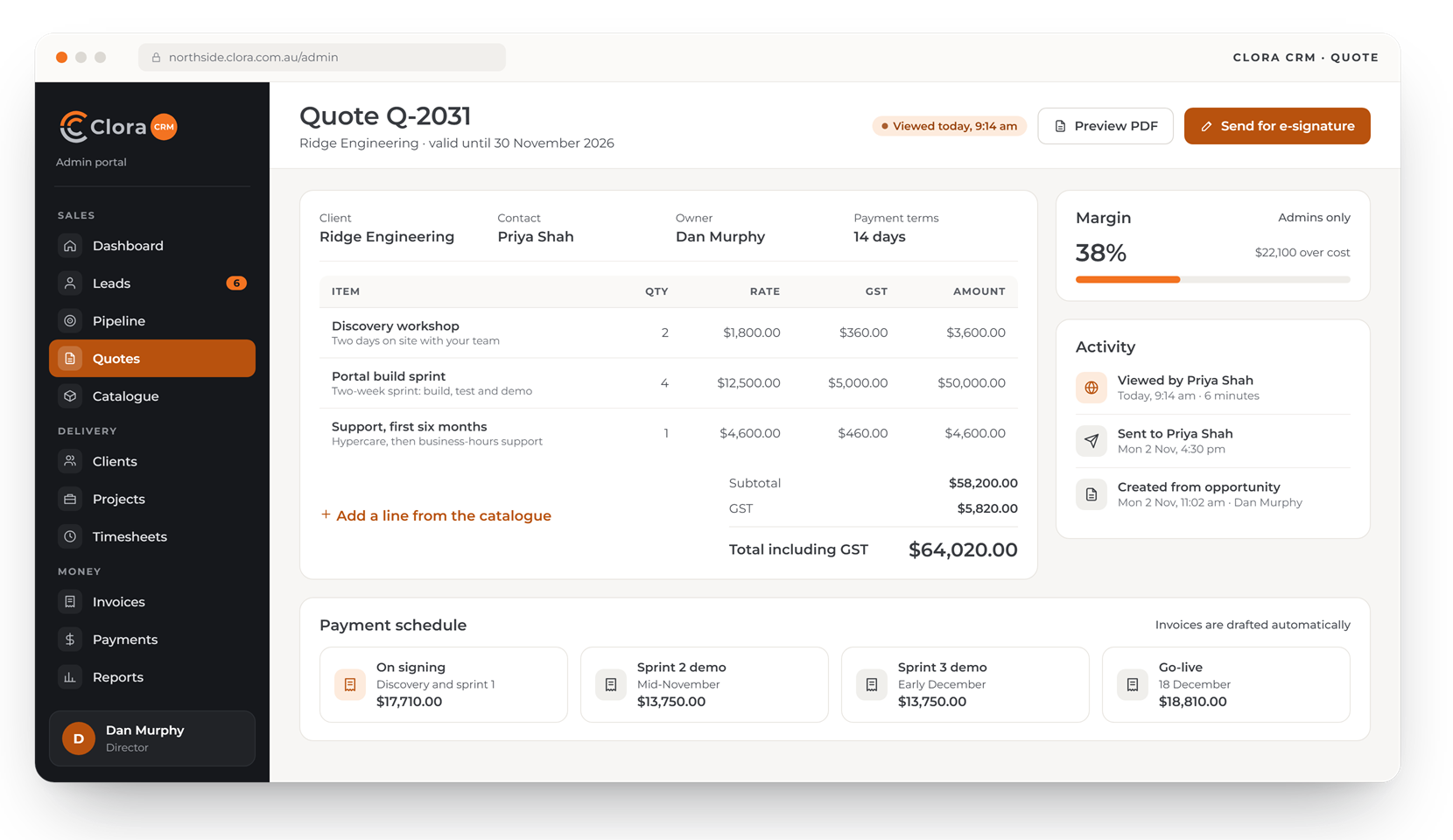
Quotes with GST, margin and a payment schedule
Build a quote from your catalogue, check the margin, and send it for e-signature. The payment schedule drafts the invoices for you.
- Lines from your catalogue of products and services
- Margin shown to admins only
- Signed quotes become projects with their budget set
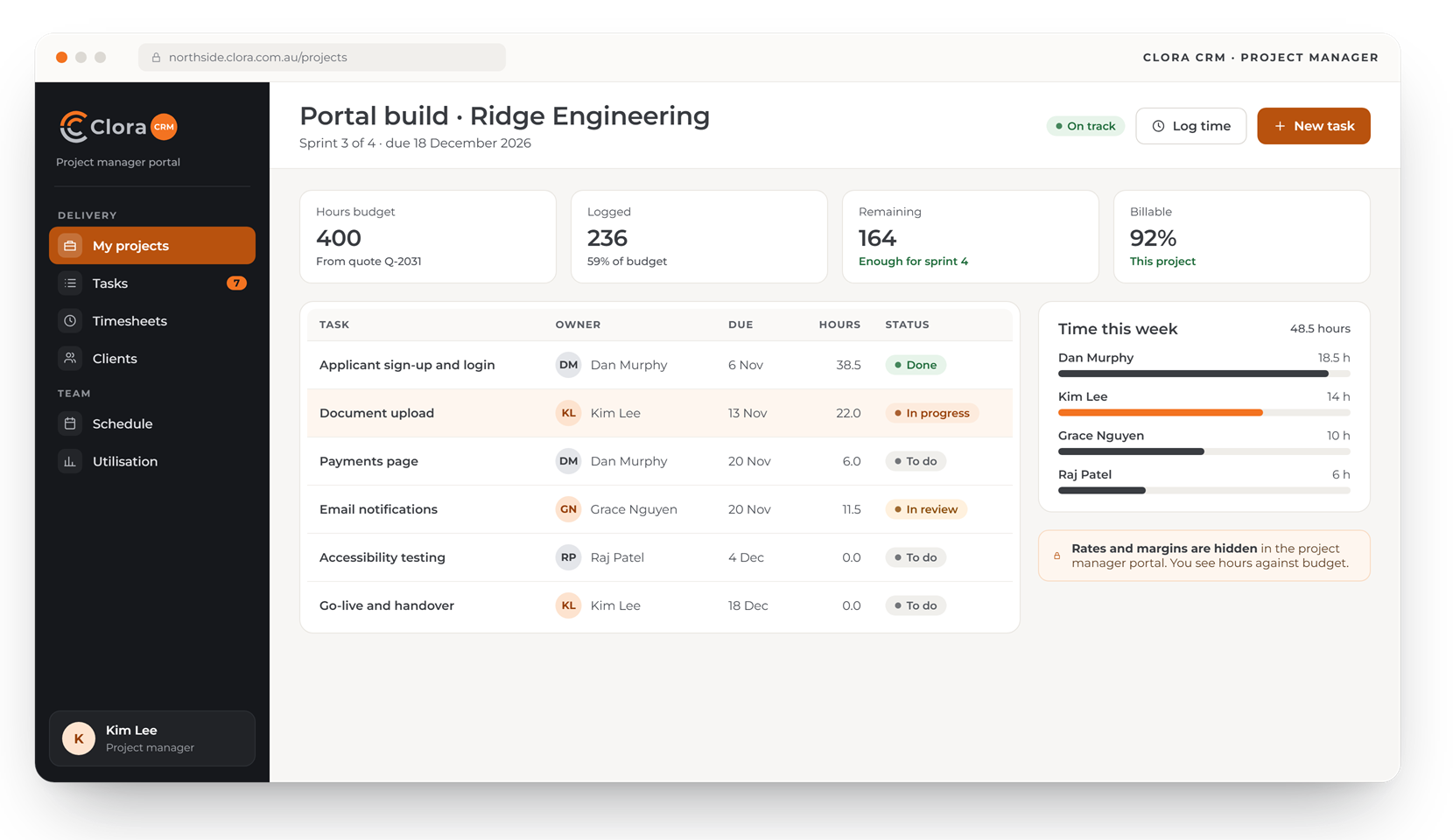
Hours against budget, without the rates
Project managers run tasks and track time against the quoted budget. Rates and margins stay hidden in their portal.
- Budget, hours logged and billable share at a glance
- Tasks with owners, due dates and status
- Time by person, this week
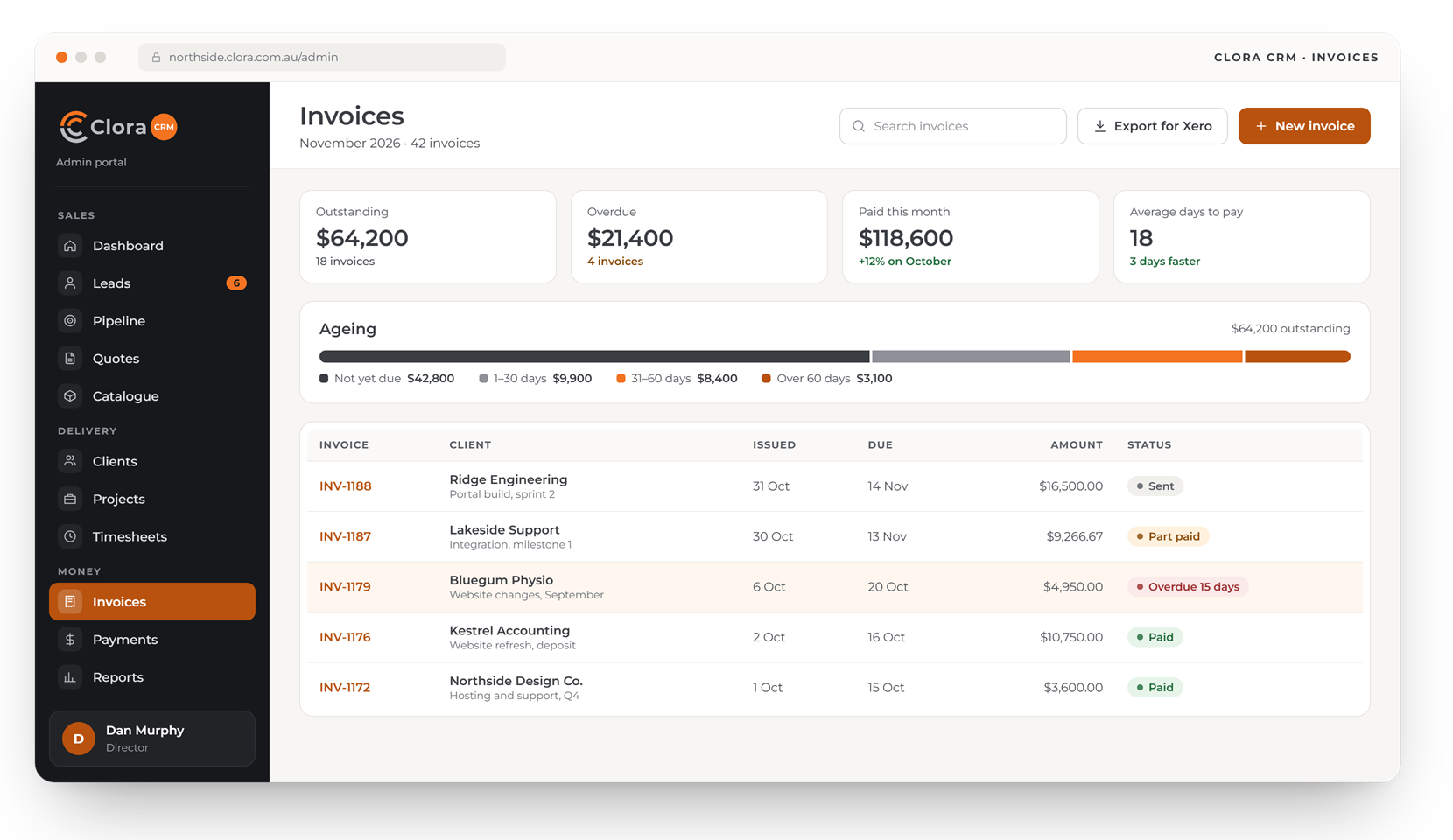
Know what is owed, and for how long
See outstanding and overdue amounts, ageing at a glance, and every invoice with its status.
- Ageing by 30 and 60 days
- Invoices ready for Xero
- Part payments recorded against the invoice
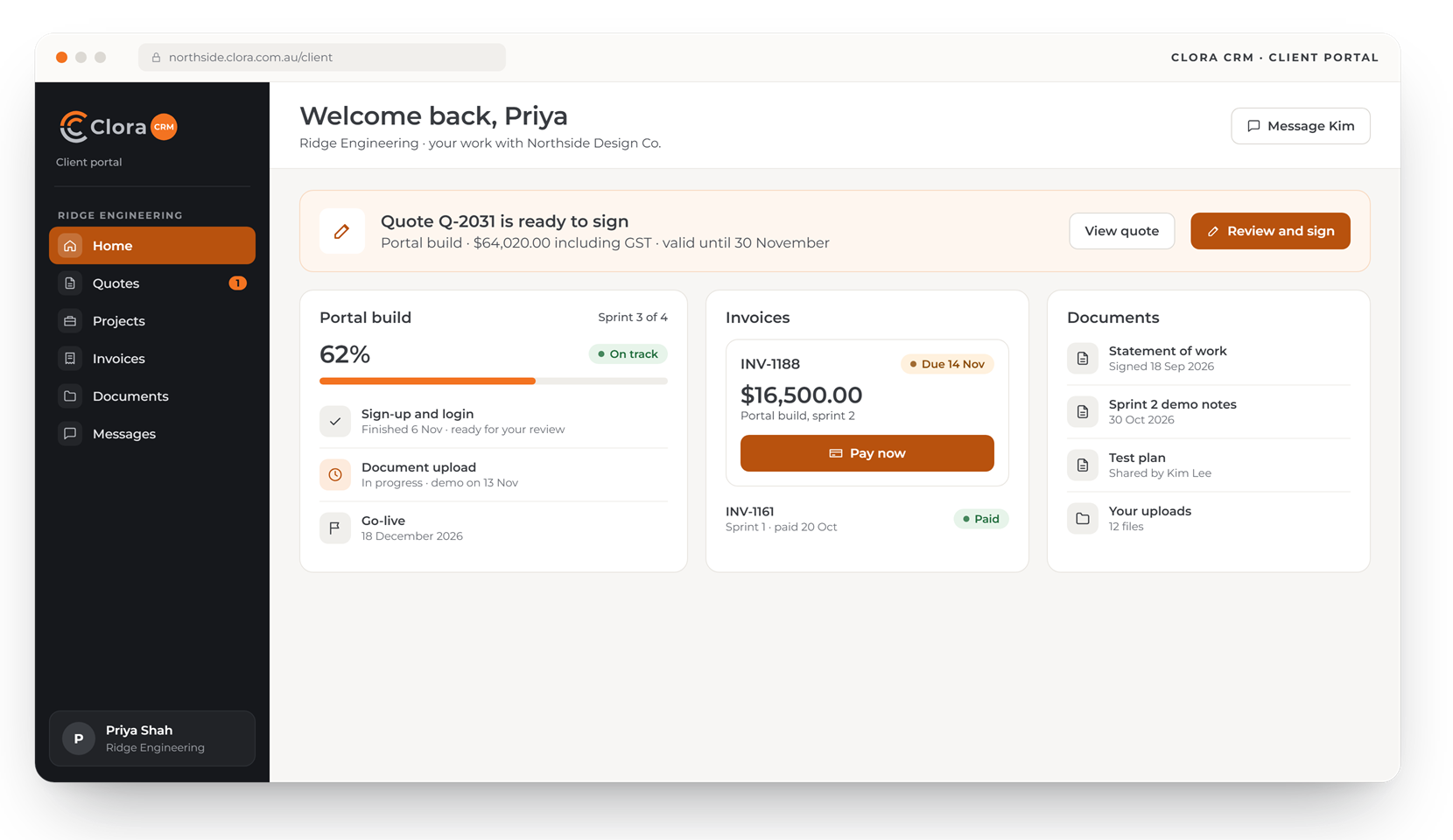
Your clients sign, track and pay in one place
Each client sees their own quotes to sign, project progress, invoices to pay and the documents you share.
- Quotes signed online
- Invoices paid by card
- Each client sees only their own records
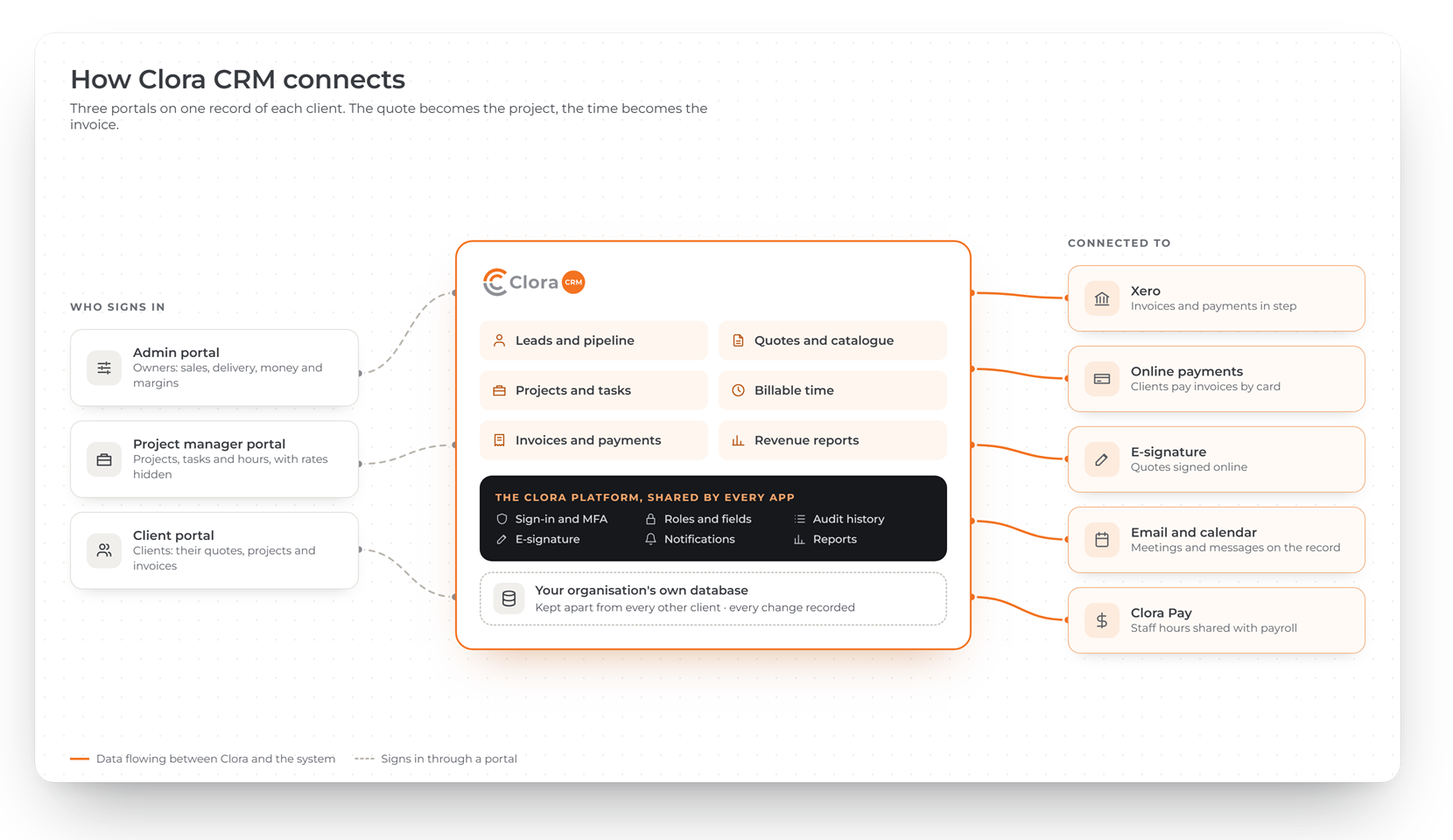
One record of each client
The quote becomes the project and the time becomes the invoice, connected to your accounts, payments and calendar.
A portal for your team and your clients
Owners see everything; project managers see their own projects without rates or margins; clients see only their own work.
Admin or owner
Every client, project, quote, invoice and report, including rates and margins.
Project manager
Their projects, tasks, hours and clients. Rates and margins are hidden.
Client contact
Their own quotes, projects and invoices, to sign, review and pay.
The same secure base under every app
Every Clora app runs on one platform, built and supported by WebRange. Use one app on its own, or add the others later on the same sign-in and the same records.
- Your organisation's data in its own database, kept apart from every other client
- Sign-in with multi-factor authentication for everyone
- Every change recorded, with who made it and what it was before
- Each person sees only the records and fields their role allows
Common questions about Clora CRM
Who is Clora CRM for?
Australian service businesses such as agencies, consultancies and professional firms that quote for work, deliver it as projects and bill for time.
Can my clients see their projects?
Yes. Each client contact gets a portal showing their own quotes, projects and invoices, where they can sign quotes and pay invoices.
Can project managers see our rates and margins?
Only if you allow it. By default, project managers see their projects, tasks and hours, with rates and margins hidden.
When is Clora CRM available?
Clora CRM is in development. Register your interest and we will contact you before it launches.