
From participant plan to paid claim, in one system
Clora Care runs the whole shift-to-claim cycle for NDIS providers: plans and agreements, rostering, shifts and notes, award-costed timesheets, then claims, invoices and remittance.
In development
Design preview with made-up data. Screens may change before launch.
Everything between the plan and the payment
Coordinators, support workers, participants and the office all work from the same records, so nothing is typed twice.
Participants and plans
Each participant's NDIS plan, budget by category and fund management type, with spending tracked as shifts are delivered.
Service agreements
Agreements built from templates, signed electronically and linked to the plan they draw on.
Rostering and matching
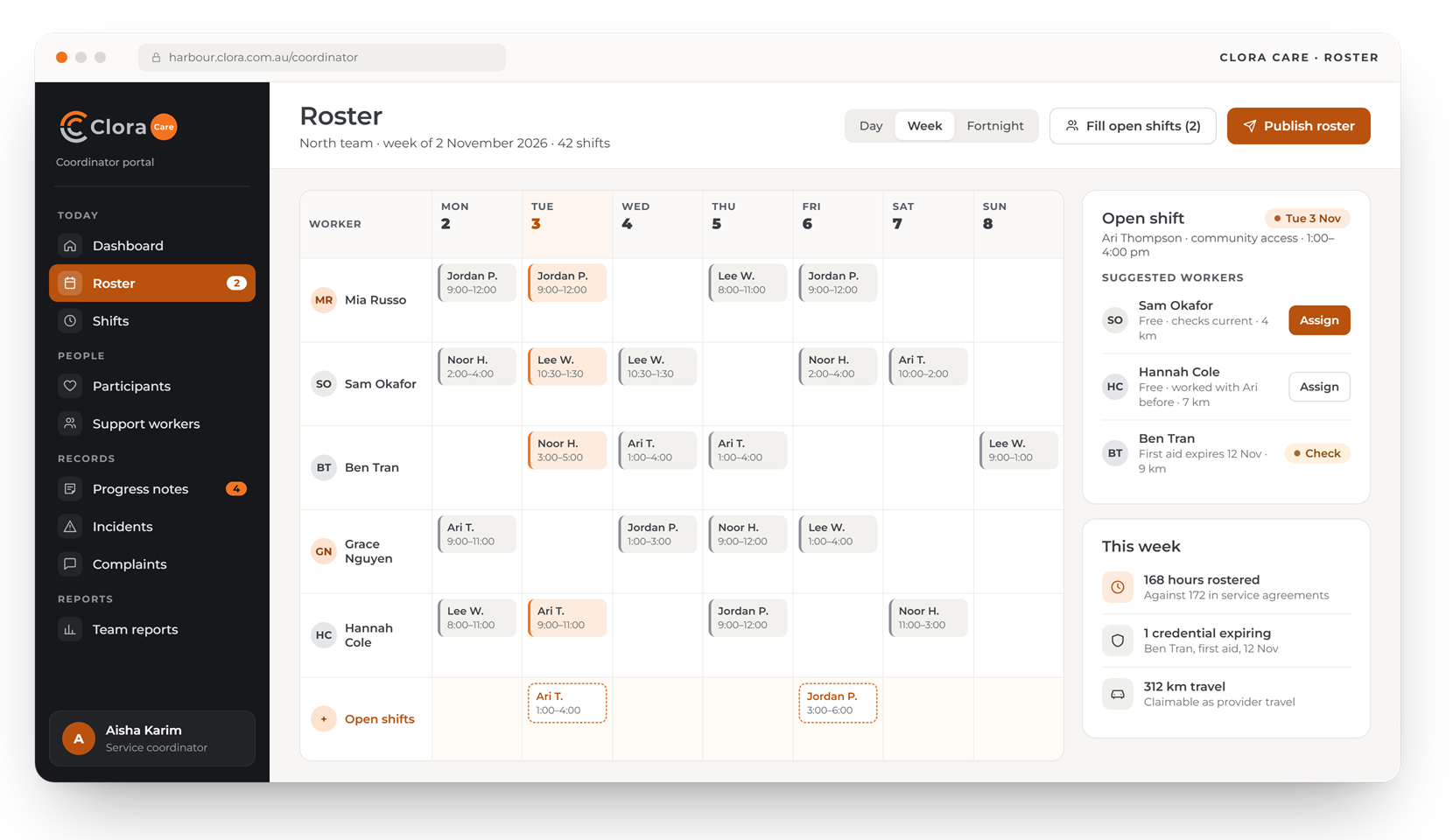
Weekly rosters matched to availability, skills and current checks. Expiring credentials are flagged before they matter.
Shifts, timesheets and travel
Workers check in, record travel and write notes on their phones. Timesheets are costed against the SCHADS Award.
Notes, incidents and complaints
Progress notes, an incident register and a complaints register, each with its own follow-up.
Claims, invoices and remittance
Claims for agency-managed supports, invoices for plan- and self-managed ones, and remittance matched line by line.
Built around the week a coordinator actually has
Four of the screens your office, coordinators, workers and families would use.
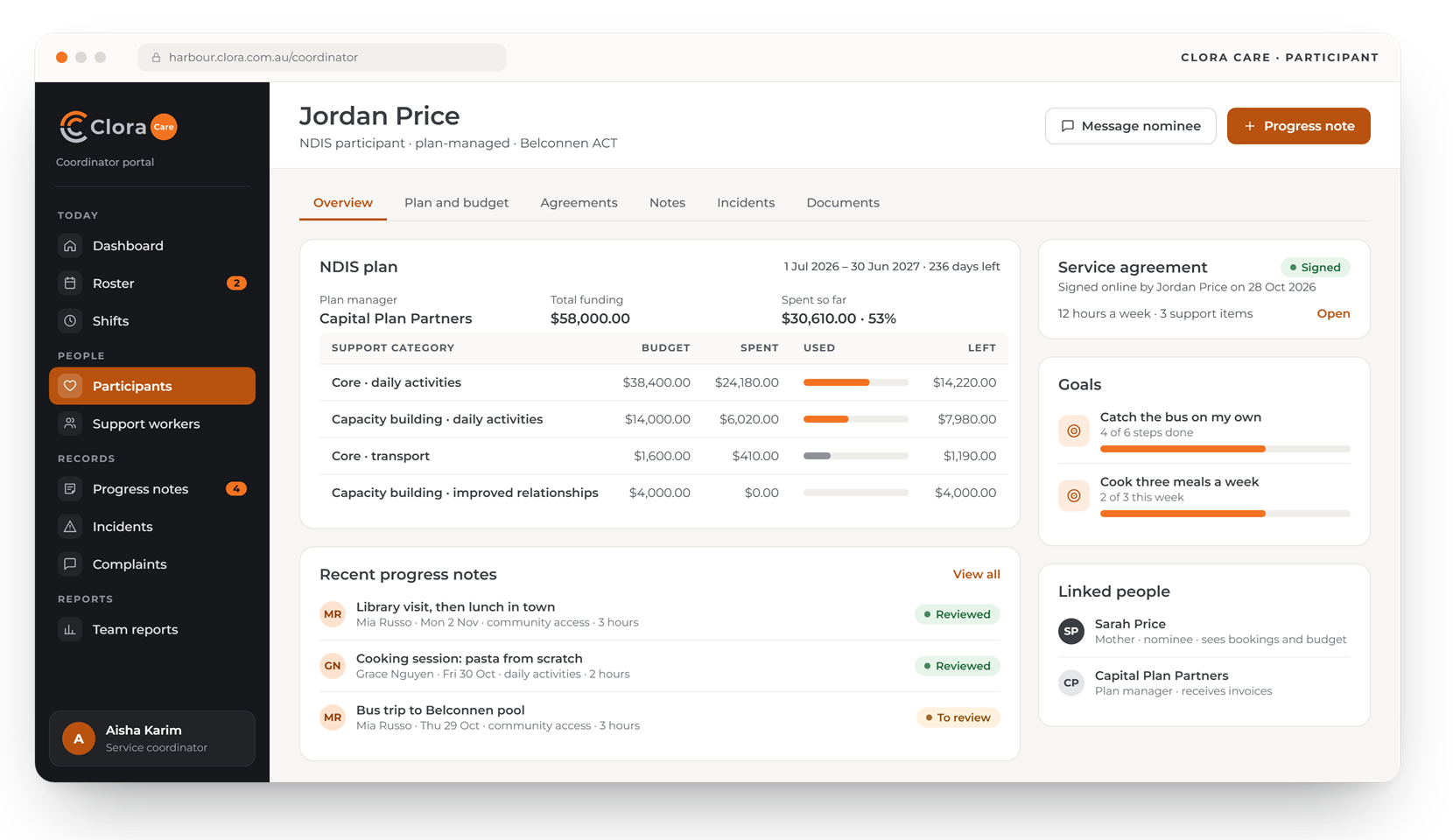
Every participant, plan and goal in one record
Open a participant to see their NDIS plan, budget by support category, service agreement, goals and the people linked to them.
- Budget by category, updated as shifts are delivered
- Service agreements signed online
- Nominees and plan managers linked to the participant
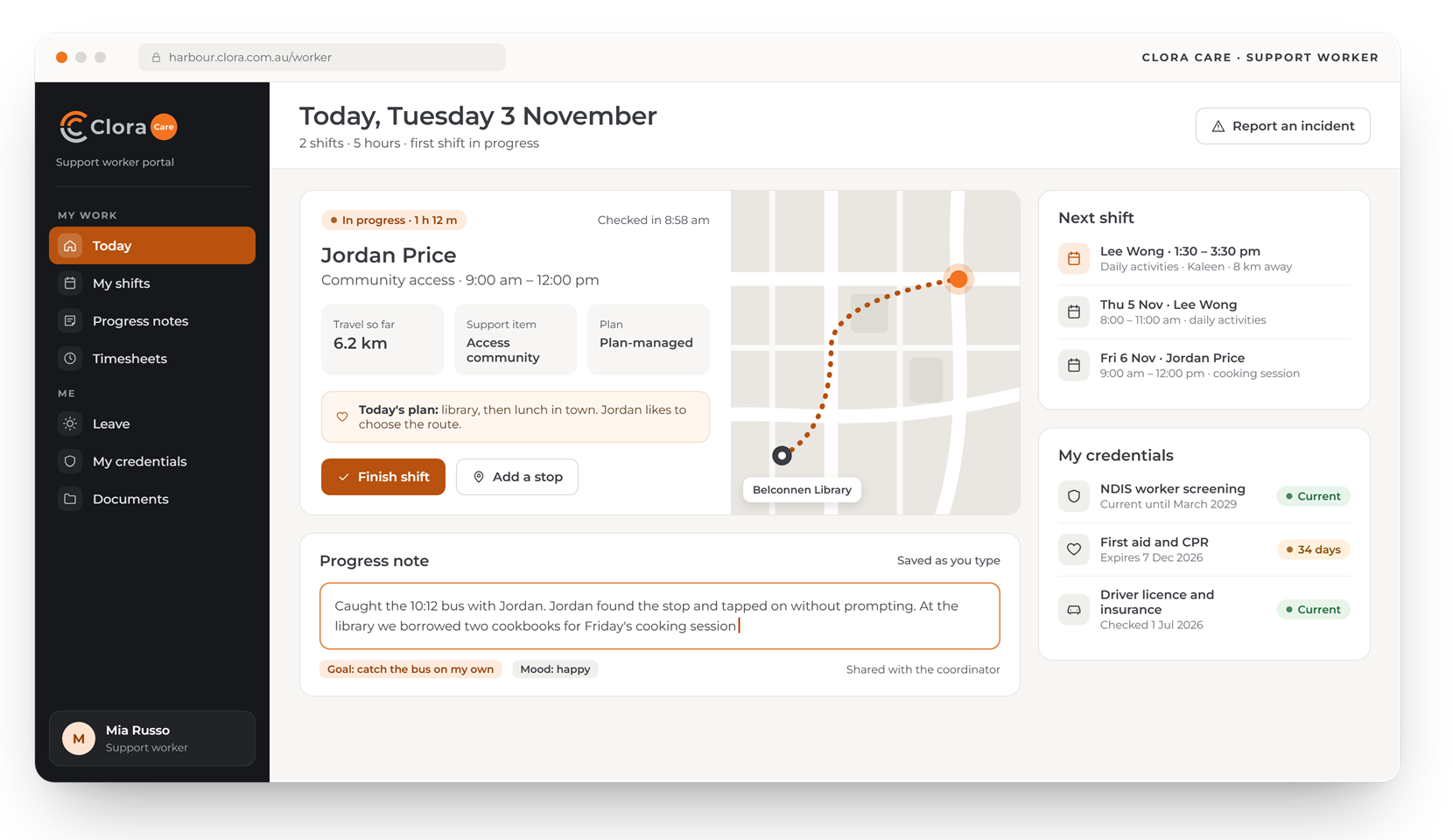
The shift, the route and the note, on the worker's phone
Workers check in, see the plan for the visit, record travel and write the progress note before they leave.
- Check-in and travel recorded as they go
- Progress notes linked to the participant's goals
- Expiring credentials shown before they lapse
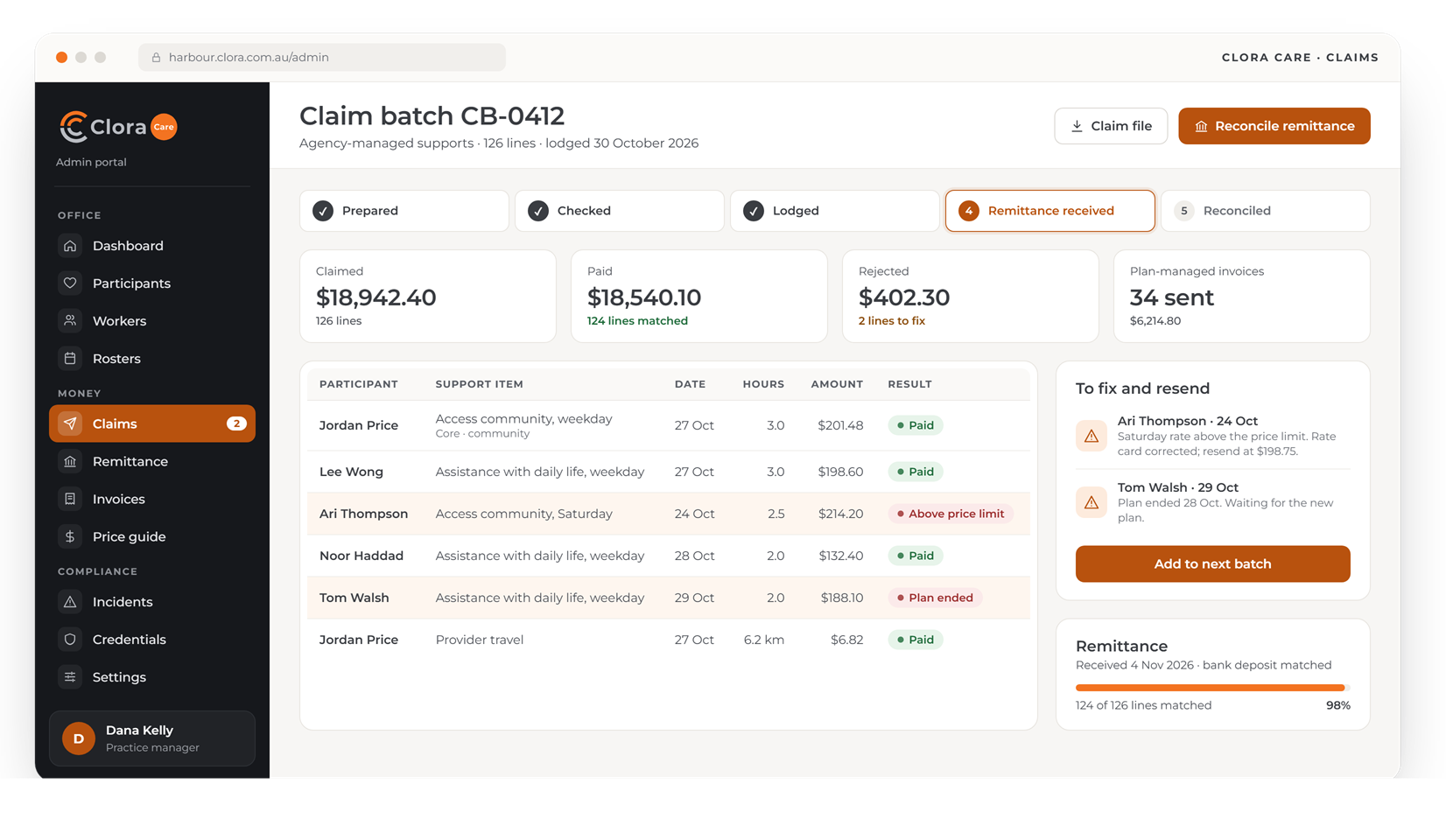
Claims, rejections and remittance in one place
Delivered shifts become claim lines or invoices, depending on how each plan is managed. When the remittance comes back, every line is matched and rejections show the reason.
- Price limits checked before lodgement
- Rejected lines ready to fix and resend
- Invoices for plan-managed supports in the same run
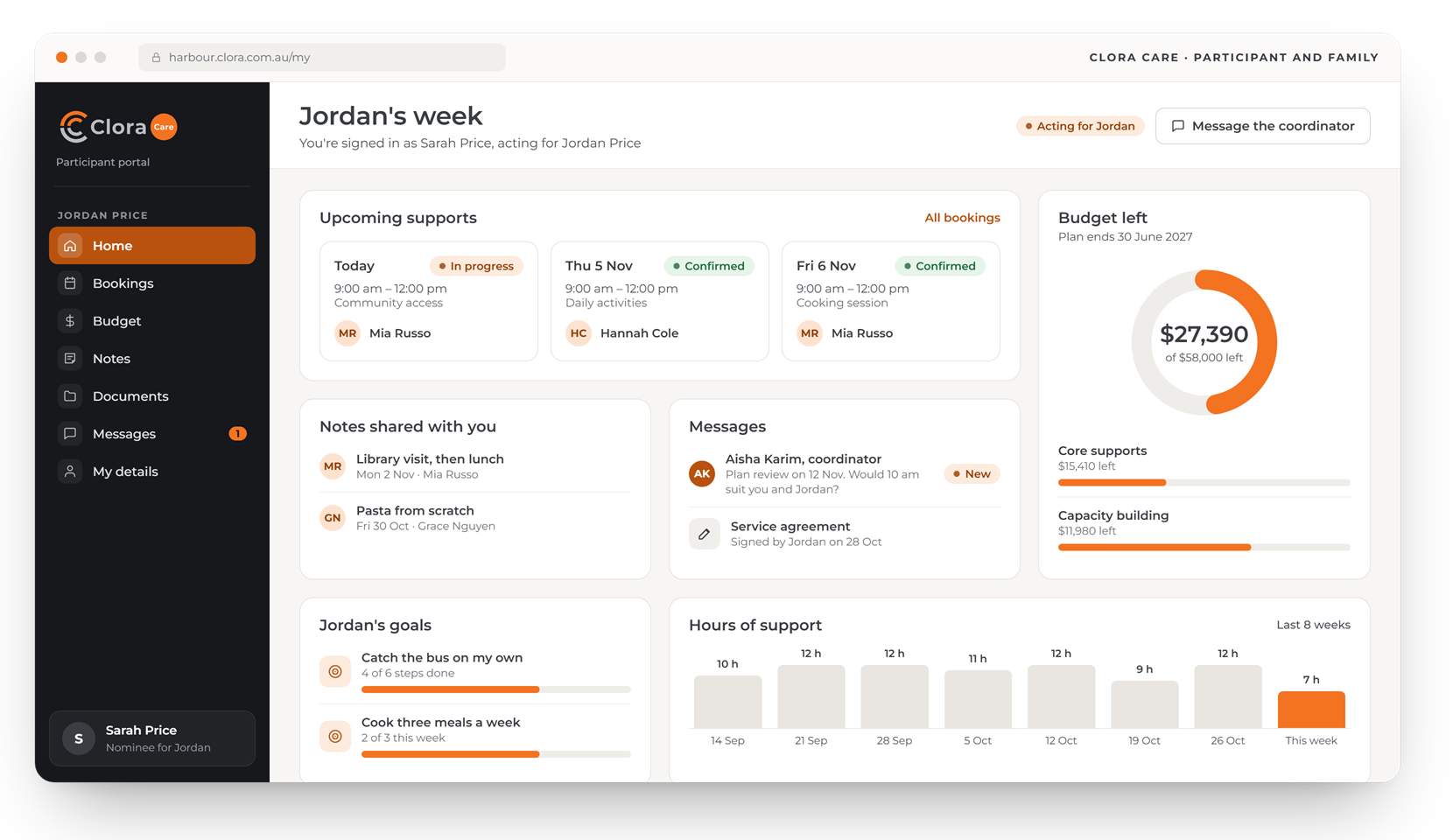
Families see the week, the notes and the budget
Participants, and the nominees who act for them, see upcoming supports, shared notes, messages and how much budget is left.
- A nominee sees only the person they support
- Notes shared by the coordinator
- Budget left, by category
Four portals, one set of records
Shifts become timesheets, claims and invoices without being typed twice, and connect to the systems your office already uses.
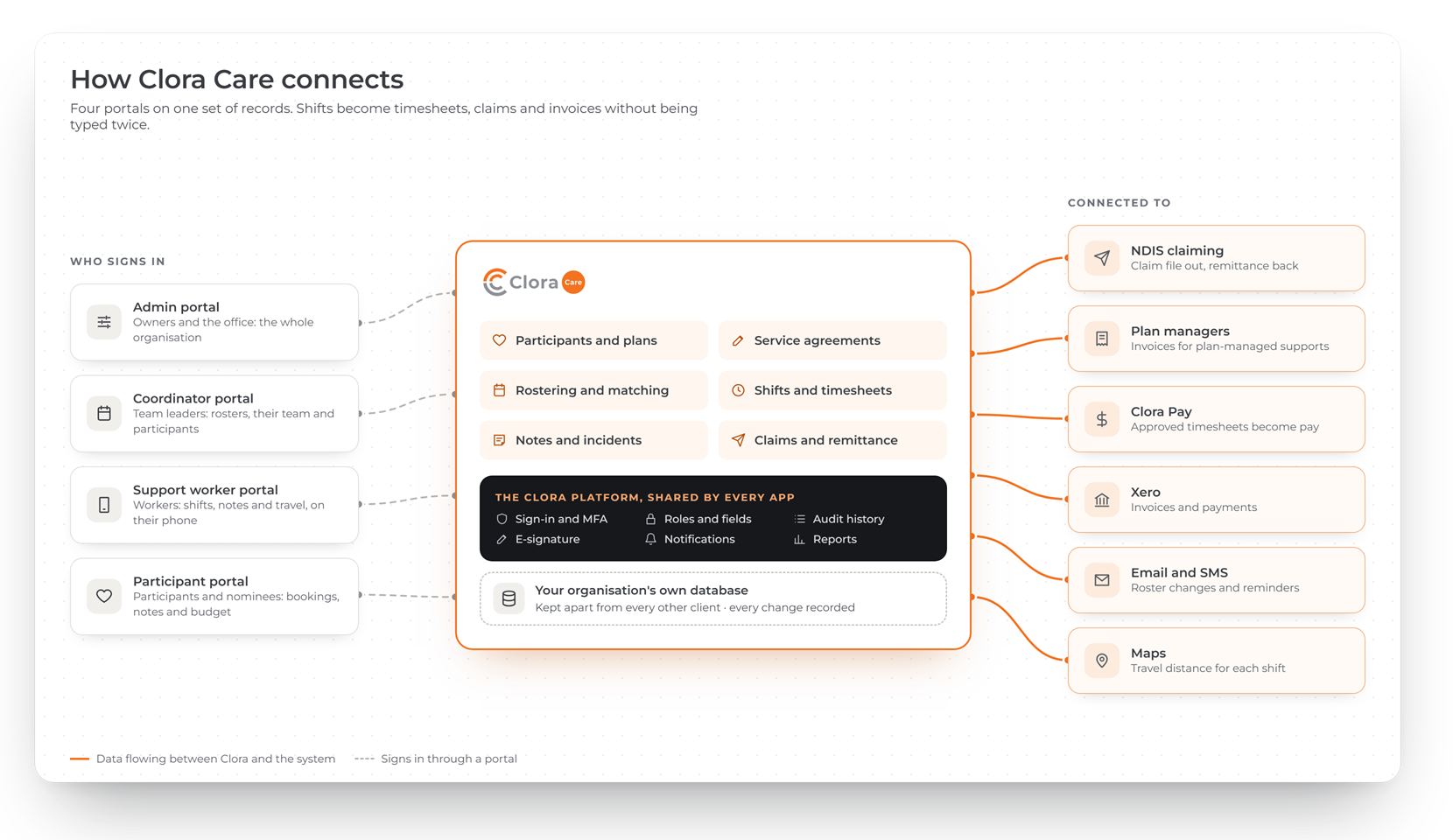
A portal for each person involved
Each person sees only their own part. A support worker never sees another participant; a family member sees only the person they support.
Admin or owner
The whole organisation: participants, workers, rosters, claims and reports.
Coordinator or team leader
Their team and their participants. Costs are shown only if you allow it.
Support worker
Their own shifts, timesheets and the participants they are assigned to, on their phone.
Participant and family
Their own bookings, notes and budget, or those of the person they act for.
The same secure base under every app
Every Clora app runs on one platform, built and supported by WebRange. Use one app on its own, or add the others later on the same sign-in and the same records.
- Your organisation's data in its own database, kept apart from every other client
- Sign-in with multi-factor authentication for everyone
- Every change recorded, with who made it and what it was before
- Each person sees only the records and fields their role allows
Common questions about Clora Care
Who is Clora Care for?
Registered and unregistered NDIS providers with roughly 10 to 40 support workers. The first release is built for one-to-one in-home and community supports.
Does it handle plan-managed and self-managed participants?
Yes. Agency-managed supports become claims for the NDIA; plan-managed supports become invoices to the plan manager; self-managed supports become invoices to the participant.
Can families and nominees use it?
Yes. A nominee, guardian or family member can be linked to a participant and see that participant's bookings, notes and budget, and nothing else.
When is Clora Care available?
Clora Care is in development. Register your interest and we will contact you before it launches.